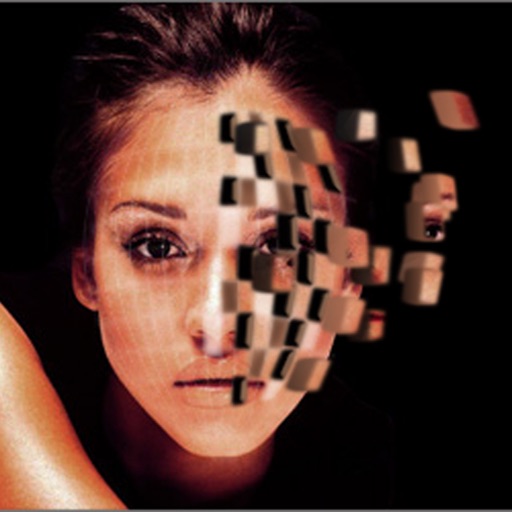
Edit photos with a wide range of effects, from basic adjustments to advanced graphic transformations. Repaint images using various brushes and import Photoshop brushes. Share edited photos on Instagram with the # tag.
by Enrique Garcia★ 4.1178 ratingsPhoto & VideoFreeData updated 2026-09-08
Edit photos with beautiful filters, contrast, saturation, and sharpening tools. Apply authentic analog effects that can be adjusted later. Access over 190 exclusive filters and 100 light leak effects with a premium upgrade.
Edit photos using AI to generate professional headshots and creative styles. Adjust lighting, background, and pose. Save and share edited images directly. Apply filters and customize details for different purposes like LinkedIn, dating, or avatars.
Edit photos with filters, cropping, and brightness adjustments. Create collages and custom cards with design tools. Add text, stickers, and backgrounds. Export edited photos in various formats and share directly.
Retouch portraits and selfies with advanced editing tools. Adjust skin tone, remove blemishes, and enhance details. Add artistic filters and effects. Save and share edited photos directly.
Edit photos with filters, cropping, and adjustments. Add text, stickers, and layers. Create collages with 500+ grid templates supporting up to 9 images. Design stories with templates and grids. Cut out photos and add backgrounds.
Edit RAW photos with color and tone adjustments. Import and process RAW files from cameras or storage devices. Organize and manage libraries. Capture pro-grade RAW images with manual controls.
Create videos from images or text with realistic animations. Generate AI art and edit photos with advanced tools. Export and share content directly to social platforms.
Turn photos into drawings, cartoons, or sketches with one click. Apply 19 effects with full control. Save creations and share via Facebook, Twitter, Flickr, Tumblr, and Email.
Edit photos with AI-powered background removal and replacement. Generate realistic images from text. Use advanced tools like layers, masking, and cloning for detailed edits. Export and share edited photos directly.
Edit images with brightness, contrast, and other adjustment tools. Import photos and place them in customizable Story templates. Create gradients and use the dropper tool to match colors. Share edited content directly to Instagram .
Edit photos with skin smoothing and whitening features. Adjust enhancement levels from 1 to 8. Apply 12 unique filters for enhanced selfies. Add makeup tools for detailed facial enhancements. Save and share edited images directly.
Capture photos and videos with retro color effects inspired by CCD cameras. Adjust high contrast settings and use a vintage interface. Record audio with analog-style filters. Share edited content directly.
Edit photos with crop, rotate, exposure, color, sharpness, and resize tools. Create grid collages and edit individual images. Access presets, clone tool, and fine curve adjustments for detailed edits. Export and share edited photos directly.
Create carousels by arranging photos in a seamless layout. Add handmade stickers, cool fonts, and analog textures. Edit images with adjustment tools. Export and share finished collages directly.
Create art using text-to-image, image-to-image, and inpainting tools. Generate AI-powered selfies and modify existing images. Utilize advanced models like DALL·E, Stable Diffusion, and Flux for enhanced results.
Create image compositions with layers, shapes, and text. Edit photos with touch-up tools and painting features. Add filters and adjustments. Export in various formats and share directly.
Create AI avatars that reflect your appearance. Blend faces into creative scenes or artwork. Edit photos with advanced AI tools. Customize edits with detailed settings. Export edited images in high quality.
Edit photos and videos with AI-powered enhancements, including skin smoothing, background blurring, and style transfers. Adjust lighting, colors, and effects. Save and share edited content directly.
Edit photos with modern filters and presets. Adjust colors and tones using advanced grading tools. Crop, rotate, and enhance images with precise controls. Export in various formats and share directly.