The app allows users to edit photos with filters, add text, and merge multiple images. Users can also use a sketchpad for quick notes and save handwritten content as pictures.
by 著显 朱★ 0.00 ratingsPhoto & VideoFreeData updated 2026-09-28
Create -themed with multiple creative options. Select images from gallery or camera. Apply effects for enhanced visuals. Share photos on social media platforms. Save edited images in high resolution.
Annotate photos with text, drawings, and stickers. Add watermarks and autographs. Create and share Photocards. Incorporate internet memes. Edit and share annotated images directly.
The app allows selective editing of photos with filters, effects, and adjustments. Users can apply multiple effects to specific areas or the entire image, offering extensive creative possibilities.
Remove unwanted objects from photos with a single touch. Erase background elements like trash cans or poles. Edit selfies by removing distracting figures. Save and share edited images directly.
Apply thematic with 18 styles, each offering 20 variations. Use grid combinations to blend multiple . Add graphics and art for creative . Customize with multi-functional tools. Export edited images in various formats.
Edit photos with filters, cropping, and red-eye correction. Adjust brightness, contrast, and saturation. Add text, stickers, and borders. Export in various formats and share directly.
Edit photos with retro filters and . Add antique textures and color adjustments. Apply nostalgic styles for a timeless look. Save and share edited images directly.
Edit photos with color filters, light effects, and frame borders. Apply effects like Instafit and Orton. Add film grain and adjust contrast, brightness, and saturation. Include text with 30+ fonts. Share edited images to social networks.
Edit photos to convert them into and with adjustable contrast, brightness, and grain. Apply filters and vintage effects. Crop, rotate, and add text overlays. Save and share edited images in various formats.
Edit photos with filters, , and cropping tools. Add text, stickers, and borders. Adjust brightness, contrast, and saturation. Export in various formats and share directly.
Backgrounds and erase unwanted using AI. Enhance photo quality and transform images with advanced editing tools. Edit multiple layers and apply filters. Share edited photos directly from the .
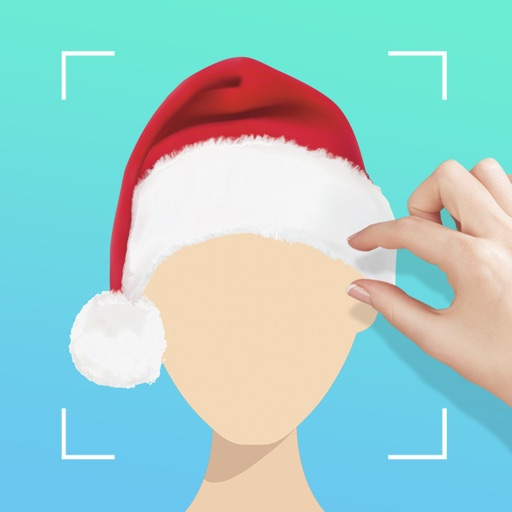
Add , Beards, Christmas Trees, custom text, and Claus to photos. Adjust hat size and placement. Use zoom for detailed edits. Erase parts of . Export edited photos.
Fry the last frame of videos to upload to TikTok. Edit memes by frying images or GIFs from the photo library or Gfycat. Share finished memes to camera roll or via iMessage as stickers. Open created memes in TikTok and Snapchat.
Documents and business cards by taking photos. Edit scans with cropping, rotation, and color adjustments. Convert text to speech and use OCR for text extraction. Export as searchable PDF or DOCX.
Edit photos with filters, masking, and color adjustments. Adjust brightness, contrast, and hue. Draw on images with customizable colors. Crop, rotate, and apply blur or focus effects. Export photos to the library.