Practice math with customizable difficulty and operations
Practice math skills with customizable difficulty and operations. Choose from addition, subtraction, multiplication, or division. Adjust difficulty levels to track progress and improve proficiency.
by Horizon Business, Inc.★ 4.177 ratingsEducationFreeData updated 2026-09-08
For math practice allows students to write or type answers. Customizable for single or multiple users. Students can send scores via email and track progress. Guardians can log and review session data.
The app helps children develop addition, subtraction, multiplication, and division skills through interactive practice. It offers a history of tests to track progress and allows customization for focused learning.
Play to learn basic math operations like addition, subtraction, multiplication, and division. Solve puzzles by matching numbers and shapes. Earn rewards and progress through levels. Track learning achievements and unlock new content.
Learn and basic math through interactive . Practice counting, addition, and subtraction. Choose from English, Mandarin, or Cantonese language options. Track progress and receive feedback during gameplay.
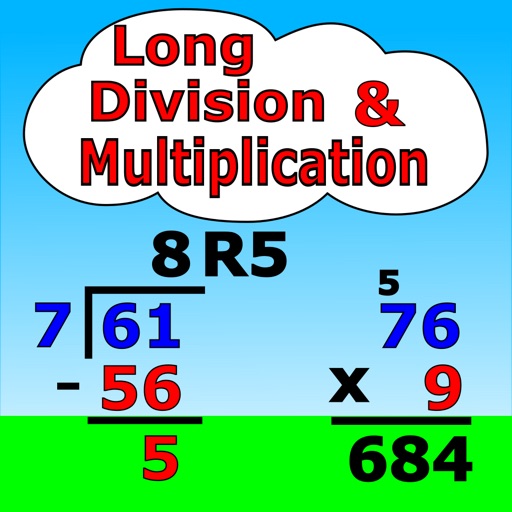
Practice and with customizable problem settings. Solve problems with 1 to 4 digits in the divisor and 1 to 5 digits in the dividend. Access tutorials with adjustable animation speed. Use the play tutorial button for step-by-step solutions.
Solve problems by finding answers in number grids. Customize difficulty levels for varying skill sets. Track progress and review solved puzzles. Share results with friends.
The app provides practice in addition, subtraction, multiplication, and division with three increasing levels of difficulty. Problems are randomly generated for a unique experience each time the player selects a math skill and number of problems.
Solve problems and puzzles to progress through worlds and unlock character levels. Practice arithmetic and problem-solving skills. Track progress and compete against other players.
The app plays the sound of Purikyua and offers educational games. Users can practice addition, subtraction, multiplication, and division, with options for time attack modes and a quiz.
The app challenges users to solve math problems to navigate a maze and outrun lava. It offers three difficulty levels, achievements, and Game Center integration for competition.
The app offers quiz content related to Kamen Rider Drive. It includes mini-games such as Brain Train, an escape game, and calculation quizzes covering addition, subtraction, multiplication, and division.
Solve logic puzzles by filling cells with numbers 1 to N. Ensure no repeated numbers in rows or columns. Use circles with math operations or "E" for even numbers to determine valid cell values. Adjust puzzle difficulty and track progress.
The app offers math practice for addition, subtraction, multiplication, and division. It covers numbers in the range of 1 to 12 and awards stars for correct answers.
Play Sudoku by filling a 9x9 grid with numbers 1-9. Choose difficulty levels for puzzles. Complete rows, columns, and 3x3 boxes without repeating numbers. Track progress and solve challenges to improve brain skills.
Practice math problems with random addition, subtraction, or multiplication questions. Complete 30 problems within 60 seconds. Review correct and incorrect answers. Switch between disciplines easily. Track total time and accuracy.
Practice mental calculation with six mini- including addition, subtraction, multiplication, division, sorting, and equation solving. Each game has four difficulty levels. Track progress and complete 40 problems in 50 seconds.
The app offers four calculation modes: addition, subtraction, multiplication, and four operations. Users can select from various keyboard types and utilize Bluetooth keyboards.
Learn basic math facts through adaptive workouts divided into 20 modules by operation and difficulty. Solve problems in two dynamic rounds that adjust based on performance.