Apps Like StudentsNotes-课堂笔记画画涂鸦拍照 for iPhone and iPad
Draw and write on class notes.
The app allows users to draw and write on pictures taken in class. Users can save these notes as images, add them to a square, and share them via email.
by 著显 朱★ 1.01 ratingsEducationFreeData updated 2026-09-28
Capture thoughts and notes without distractions or ads. Encrypt and store notes locally with end-to-end encryption. Add text, audio, images, PDFs, and math expressions. Organize notes into folders and attach documents.
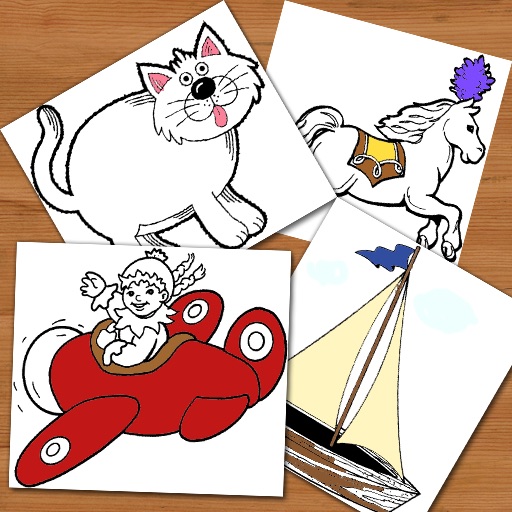
Pages allow users to select from 300+ pre-designed images and customize them with stickers. Users can create original drawings and enhance their artwork with various tools. Completed artwork can be shared with others.
View abstracts, presentations, speakers, and exhibitors from courses. Take notes on slides and draw directly on them. Share notes via in- messaging, email, or social media.
Take notes alongside presentation slides and draw directly on them. Note-taking is also available in posters and exhibitors sections. Share notes via in- messaging, email, and social media.
Objects in using finger gestures to draw and tag. Add text and comments in multiple colors. Use different line endpoints and angle tags. Include shape tags for precise markings. Save and share annotated images.
Edit photos with various eye and pupil effects. Use face recognition to accurately locate eyes. Apply filters and effects to enhance eye appearance. Save and share edited images directly.
Create and organize for patient visits. Input subjective, objective, assessment, and plan sections. Save securely with encryption. Share with authorized users. Sync across devices.
The app allows users to track employee time, manage time off, and handle expenses. Centralized time data supports payroll, client billing, and expense reimbursement.
Annotate photos with text, drawings, and hand-drawn elements. Add watermarks and autographs. Create and share Photocards. Incorporate internet memes. Edit and enhance images for personal or professional use.
Create journal entries, to-do lists, and calendar events by typing or speaking. Schedule recurring tasks and complex plans with Calendar Event IQ. Translate text, write with AI assistance, and share notes directly.
Annotate photos with text, drawings, and stickers. Add watermarks and autographs. Create and share Photocards. Incorporate internet memes. Edit and share annotated images directly.
Create and review flashcards with swipe gestures to flip . Draw notes freely with finger or Apple Pencil. Hold to flip card over. Shake for random card. Swipe down to cancel or up to delete.
The app helps teachers create personalized learning opportunities. It allows users to organize ideas on cards, connect them with lines, and save various media types.
Take notes alongside presentation slides and draw directly on them. Note-taking is available in posters and exhibitors sections. Share notes via in- messaging, email, and social media.
View conference schedules, presentations, exhibitors, and speaker details. Take notes on slides, posters, and exhibitor info. Draw directly on slides. Share notes via in- messaging, email, and social media.