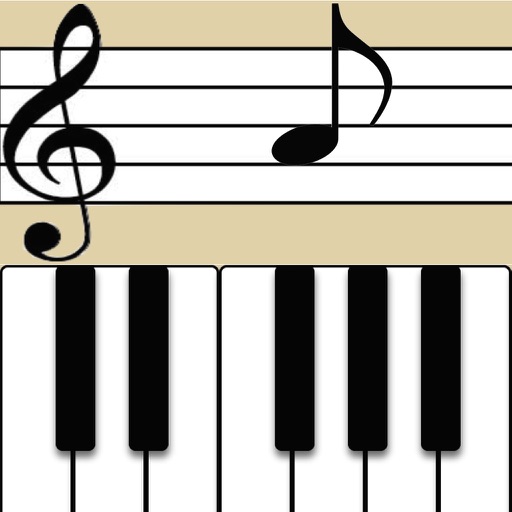
The app allows users to recognize pitches by sight or sound and notate or play them on the piano. It includes a Grade Book for saving and printing results, with options for different clefs and an Ear Training mode.
by Patrick Kelly★ 5.02 ratingsMusic$2.99Data updated 2026-09-28
Learn key signatures by tapping to see sharps or flats. Generate for any key instantly. Visualize connections between major and minor keys on an interactive circle. Practice with customizable settings and instant feedback.
Learn through interactive exercises and a visual approach. Practice reading rhythms and scales. Track progress with step-by-step lessons. Receive instant feedback on accuracy. Export exercises for offline practice.
Play and record music using a virtual instrument with adjustable tuning and bowing techniques. Practice scales and exercises. Access sheet music and performance guides. Sync with music software for playback and recording.
Learn phonics, recognize sight words, and solve math problems through interactive games. Complete challenges, track progress, and earn rewards. Explore themed adventures to reinforce concepts.
Learn piano through interactive gameplay. Recognize and memorize with color associations. Play in four themes and hear chord sounds for each note. Receive a score card after each session to track progress.
The app offers over 1000 songs from various genres for users to learn on a configurable piano. It helps develop the ability to play by ear, starting with simple notes and progressing to mastering songs.
The app is a musical game with 182 levels designed to help users learn to read music. It assists in improving memory and ear training at the user's own pace.
The app helps musicians instantly recognize note names across treble, bass, and alto clefs. It includes training for enharmonics, key signatures, and scale spelling, with features for teachers to track student progress.
Practice ear training by identifying intervals, chords, and scales. Listen to audio examples and select the correct answer. Track progress with detailed reports. Sync lessons across devices and receive instant feedback on accuracy.
The app displays fingerings for Violin, Viola, Cello, and Double Bass, including Simandl and Rabbath positions. Users can see and hear notes, intervals, or chords on the piano and utilize key signatures for easier fingering identification.
Teaches children to recognize animal and instrument sounds through interactive games. Develops creative thinking, attention, and fine motor skills. Includes weekly new content and features progress tracking.
And sight-reading with real instruments like , guitar, or violin. Use note buttons or a virtual keyboard. Receive feedback with smiling kitten animations. View session summaries and adjust settings.
Learn staff notation, music theory, and - through interactive exercises. Practice with customizable worksheets and quizzes. Track progress with detailed reports. Sync lessons across devices and access a library of musical examples for practice.
Create rhythmic patterns with triplets, dotted notes, and custom time signatures. Set subdivisions per beat. Save setups in setlists. Use Coach and Automator modes for timing practice. Adjust tempo and display options. Export patterns for later use.
Create piano videos by adding real video footage and customizing with particles, lights, and 3 visualization styles. Edit MIDI files, choose music colors, and render in 4K. Sync with keyboard saber and export final videos.
The app extracts sheet music melodies, showing notes with sound and position previews on a piano. Users can set sharp and flat notes and switch between treble and bass clef.
Learn to read piano notes on treble and bass clefs. Practice notes by tapping keys. Take quizzes to identify notes on the musical staff. Play notes with right hand on treble clef and left hand on bass clef. Hear real piano sounds for each key.