mini DDrink
Stephen Allen
Retro horror shooter survival game.
The app is a 2.5D retro style top-down horror shooter. The player explores an asylum, city streets, and a jungle while shooting enemies and attempting to survive the apocalypse.
Take photos with retro game filters
Apply real-time filters to photos using retro video game color palettes and resolutions. Choose from preloaded systems or purchase additional ones. Edit existing photos with available filters. Share filtered photos directly via the 's share dialog.
Showing 921–940 of 1,000 ranked alternatives.
Stephen Allen
Retro horror shooter survival game.
The app is a 2.5D retro style top-down horror shooter. The player explores an asylum, city streets, and a jungle while shooting enemies and attempting to survive the apocalypse.

Alexander Dr. Rieger
Turn photos into warm sepia tones.
The app applies a sepia filter to photos, giving them a warm, yellow-brown tone. Users can adjust saturation and brightness, save multiple images, and share their creations on social media or via email.

yukihiro fujita
Transfer photos and videos easily.
The app transfers user photos and videos to another device using WiFi. Both devices require the app and an activated WiFi connection to send files.

Jessica Tunnicliffe
Manage photos with many functions.
The app manages photos with 18 functions including camera, video, and editing tools. Users can apply numerous effects and filters to photos and videos, and display them in various carousel styles.
sejal thesiya
Edit photos, paint colors, apply effects
Convert photos to black and white, sepia, or mono formats. Apply splashes to specific areas using touch. Adjust effects like hue, saturation, and contrast. Add photo filters for enhanced visuals. Export edited images in various formats.

Valentino Frati
Style photos and videos with HDR.
The app applies an HDR-like style to photos and videos with a full set of controls and filters. Users can customize details, contrast, and saturation, and create effects like slow-motion or time-lapse.

Tencent Mobile International Limited
Describe photos with location and weather.
The app allows users to describe photos with details about what, where, and when. Users can select from six themes and apply up to 15 filters to their images.

Savita Yadav
Edit photos with effects and art
Edit photos with effects, spirals, art, and beauty filters. Add background arts and adjust brightness. Export edited images in various formats and share directly.


devin sewell
Capture real-time video and photos
Record videos and photos with real-time RGB, contrast, and exposure adjustments. Apply all filters during recording with zero delay. Preview exactly what will be captured without rendering or waiting.




Studio Rabbithole
Apply filters to photos and videos
Apply filters by literary themes to enhance photos. Choose from pre-designed filters based on like The Great Gatsby and 1984. Adjust and combine filters to match desired aesthetics. Save and share edited photos directly.

Pavel Mishanin
Edit photos with LUT and curves
Edit photos with crop and rotate tools using templates. Apply LUT to change the mood. Adjust colors with color curves. Add blur in various styles. Use basic tools for contrast, brightness, and vignette.

Randel Smith

Alperen Ciftlikci
Edit photos with AI-powered tools
Edit photos with AI-powered filters, color correction, and smart enhancements. Remove objects, adjust lighting, and apply textures. Export in high resolution and share directly.

Patel Nishaben
Apply to photos and share them
Edit photos by selecting from the gallery or capturing new ones. Apply various and effects. Adjust position, size, and angle. Save edited images and share via social media, email, or messaging apps.
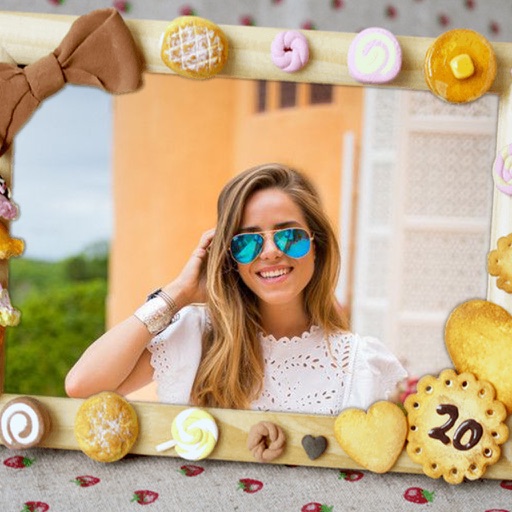
Patel Nishaben
Apply to photos and share them
Edit photos by selecting from the gallery or capturing new ones. Apply various and effects. Adjust position, size, and angle. Save edited images and share via social media, email, or messaging apps.
Apps are ranked by functional similarity, category fit, rating confidence, and popularity.