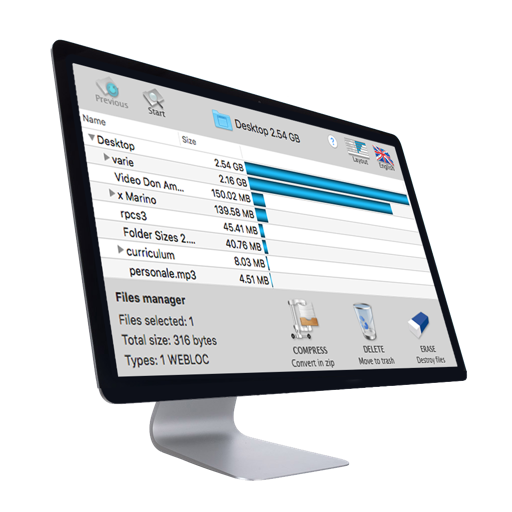
The app provides a practical and discreet utility to keep files and folders out of sight on a Mac. It allows users to build a private list of items and toggle their visibility, preventing accidental access or unwanted changes.
by Ivan Gobbo★ 0.00 ratingsUtilitiesFreeData updated 2026-09-27
Password-protect files, photos, videos, documents, contacts, and notes with custom passwords. Transfer files wirelessly between iPhone and PC/Mac. Import audio files directly without iTunes. Manage WiFi connections and transfer files via WiFi.
Detects and removes duplicate and similar photos to declutter the gallery. It compresses videos to save space. Merges duplicate contacts. Deletes large video files. Manages by identifying and removing unnecessary data.
Browse privately, store files securely, delete history
Browse websites without ads, trackers, or cookies. Download and store files privately. Secure your history and downloads with a passcode or Touch ID. Delete browsing data quickly with the "Destroy" option.
Hide private videos and photos in a password-protected . Add media from the library or record directly. Group files into albums and view in grid layout. Access content via password-protected interface.
Store private photos, videos, notes, contacts, and audio in a password-protected folder. Enable break-in photos for failed login attempts. Receive email reports with intruder photos and GPS locations.
Hide photos, videos, and documents in a secret folder. Create hidden albums and set passwords. Lock files with biometric authentication. Encrypt and disable access remotely. Share files securely with password-protected links.
Organize files by dragging folders into the . Create sub-folders within existing folders to categorize files. Move, rename, and delete files directly within the interface.
And organize iPhone by removing duplicate files, blurry photos, and unused calendar events. Delete similar media and boost performance with a single tap. Secure data with Web Guard, WiFi Security, and Secret Folder features.
Access school resources with single sign-on. Launch apps with one click. View cloud drives and Active Directory folders. Manage bookmarks and customize your dashboard. Sync with Google Workspace for Education.
Securely store and manage personal photos, videos, and documents with encrypted vaults. Access via a calculator interface to hide the . Lock specific folders or files. Set password and biometric access. Share or delete content remotely.
Extract archives instantly and share folders easily
Archive files including rar, zip, 7z, tar, gzip, bzip2, xz, iso, pkg, swf, exe, jar, xip, dms, and more. Extract contents to specified folders. Share folders via left scrolling. Contact support via email for assistance.
Store private photos, videos, notes, contacts, and audio in a password-protected . Enable break-in photos for incorrect logins. Receive badge alerts and email reports with intruder photos and GPS location.
AI Cleaning identifies and deletes unnecessary files, cache, and duplicate photos to free up memory. Cybersecurity provides personalized tips for improving digital . Duplicate Photo Remover finds and removes duplicate images.
Store photos, videos, and notes in an encrypted . Lock files with a password or biometric authentication. Sync content to cloud storage for backup. View and manage media within the secure .