Practice listening and following interactive tasks. Complete simple or complex instructions like "Touch the cat" or "Give the boy without a hat something to eat." Receive feedback and watch characters respond sounds or actions.
And with dual-language flashcards featuring words, translations, sample sentences, and native audio. Practice pronunciation by repeating audio. Complete interactive exercises to reinforce vocabulary and grammar.
Recognize text from images with 99% accuracy. Translate words between 53 languages. Look up definitions, hear pronunciations, and view word examples. Save translated text for later reference.
Learn basic grammar with lessons on tenses, verbs, and vocabulary. Practice conjugations, listen to phrases, and complete interactive exercises. Access 300 words organized by categories like colors and business.
Tap tiles to play spoken words. View images and short videos for visual support. Record custom voice messages or use text-to-speech for personalized communication.
Teaches and language skills through interactive . Includes activities for sound recognition, word building, and sentence formation. Tracks progress and provides feedback. Offers parental guidance and customizable learning plans.
Study for the DMV with practice questions on traffic signs, signals, pavement markings, road rules, and safe driving practices. Track progress with built-in quizzes and review tips for passing the exam.
Access product information such as Instructions for Use, technical specs, labels, and manuals. Search and retrieve documents quickly. Share materials with internal teams and customers. View drawings and guides. Sync across devices for offline access.
Search instruments and cross-reference countsheets
Access detailed images and descriptions of surgical instruments. Search by barcode, SKU, or image. Cross-reference countsheets and identify over 3.5 million items. View high-resolution product photos and manufacturer information.
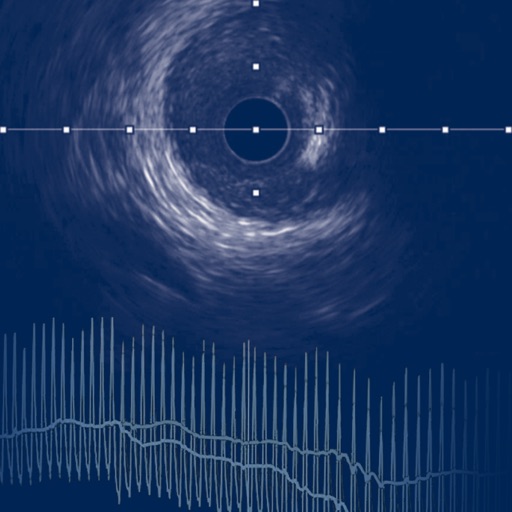
Provides image and FFR waveform interpretation guidance with interactive questions. Allows practice of measurements using real case comparisons. Includes video clips with image interpretation explanations.
Create and print with hazard information, including product identifiers, signal words, and pictograms. Customize label layouts, add text and images, and save templates for repeated use. Ensure compliance with workplace safety regulations.
The app identifies hazardous cargo using the 4-digit DOT placard number. It provides details from multiple Emergency Response Guidebook editions and includes search by name or number.
Identify plants by uploading photos. Access detailed information about species, including scientific names, growth habits, and care tips. View images, descriptions, and related species suggestions.
Identify plants by snapping photos. Get matches for 98% of known species. View tips and facts about identified plants. Sync with other devices for continued learning.
And practice high-yield questions for the American of exam. Access detailed explanations, track progress, and simulate exam conditions. Manage study sessions and key concepts for clinical rotations.