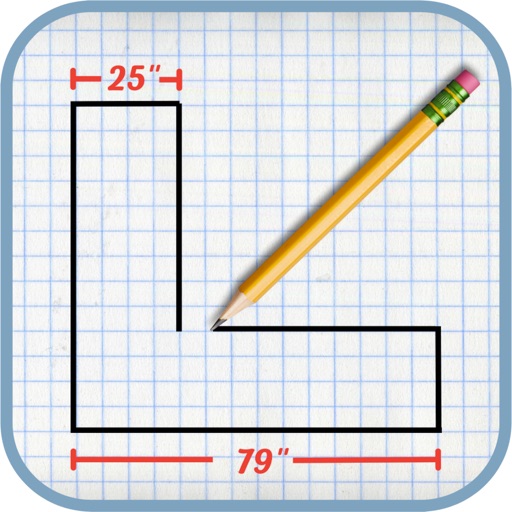
The app allows users to create rapidly executed freehand drawings. These drawings can record observations, develop ideas, or demonstrate concepts for later use.
by kim kihyun★ 2.713 ratingsUtilitiesFreeData updated 2026-09-27
Control main joints for precise adjustments. View multiple angles of different poses. Inspect yoga or exercise positions from various perspectives. Use as a drawing model for animation, illustration, or sketching.
Generate AI art from text prompts using Stable Diffusion technology. Create and edit images, emojis, and videos. Download and share artwork directly. Convert ideas into visual masterpieces with advanced AI tools.
Allows users to draw grids over images for precise copying, scaling, and tracing. Features include adjustable sizes, reference image overlay, and zoom capabilities. Users can export drawings and share files directly.
Collaborate on drawings in real time from any device. Draw over PDFs and images or capture photos to annotate. Share drawings with others via or web. Save annotated files as new PDFs.
Syncs data across devices for consistent updates. Displays forecasts with high contrast and customizable units. Allows users to adjust font size and theme preferences. Shows detailed hourly and daily information.
Create scale drawings of with precise dimension measurements and finished edge indicators. Mark backsplash areas and other design elements. Export drawings for professional use and share with clients.
Browse royalty-free samples and organize favorite sounds. Record audio and use Create mode to compose . Access the full catalog and save new discoveries for later.
The app provides vector drawing tools including lines, shapes, and freehand drawing with vectorization. Users can edit object attributes, use snapping functions, and manage drawings across multiple layers and an object library.
Create notes, drawings, and organize content on an endless . Import and annotate PDFs, add images, and use intuitive drawing tools. Zoom in or out, choose backgrounds, and export work for sharing. Sync across devices using iCloud.
Allows users to save tasks, ideas, and reminders for future action. Create and organize lists, set reminders, and view notes. Sync across devices and access entries from anywhere.
And develop ideas with AI-generated insights. Create pitch decks and strategies. Generate market analysis and plans. Collaborate with team members in real time. Export documents in multiple formats.
Manage personal information including family, study, and occupation details. Track meditation sessions with the Mantrajap module. Set reminders for chanting. View progress metrics. Sync data across devices. Access guided meditation techniques.
Create comic panels or short animations by typing a scene and selecting a style. AI generates characters, backgrounds, and dialogue. Convert static scenes into animated cartoons with expressive character movements. Export and share finished artwork.
Take , record voice memos, and organize ideas with intuitive linking. Use AI to edit , generate prompts, and chat with content for deeper insights. Customize note appearance and structure.