Calculator displays calculations in real-time and saves a history accessible by swiping up. It handles fractions, converting between proper, improper, and mixed formats. It supports degrees, minutes, and seconds for angle input.
by Behzad Dogahe★ 4.456 ratingsUtilities$2.99Data updated 2026-09-08
Manage files with drag-and-drop organization. Access a flashlight with adjustable brightness. Use a calculator, note taker, and screen recorder. Includes calendar, timer, and widget tools. Sync data across devices.
Perform statistical calculations, graph functions, and handle scientific and matrix operations. Access all features without ads or付费 restrictions. Replace physical calculators for test preparation and academic use.
Helps manage , dates, and schedules. Add or subtract , minutes, and seconds. Apply hourly rates for cost calculations. Track and calculate pay. Convert formats and plan shifts.
Perform calculations with math functions and trigonometry. Switch between units like feet, inches, yards, and metric. Visualize measurements and fractions. Track projects with customizable templates. Export results in various formats.
Perform complex calculations with scientific functions and RPN mode for efficient input. Access 54 math functions including logarithms, square roots, factorials, trigonometry, and coordinate conversions.
With history tape, real and complex number support, angle modes including radians and degrees. Calculates astronomical constants and supports minutes, seconds, and grads.
Is a that lets users input and edit formulas with a live display. It supports formula reuse, variable memory, and cursor navigation for precise editing. Users can check formulas for errors and adjust values efficiently.
The app offers a modern calculator with extensive customization options. Users can create custom themes, choose button shapes, and adjust visual elements.
With history tape, real and complex number support, angle modes including radians and degrees. Features constants, unit conversions, and capabilities for equations and functions.
The app offers tools for studying homework, including graphical curve sketching, solving various equation types like exponential and trigonometric, and simplifying fractions. It also handles integrals, polynomials, and systems of equations.
The app calculates fractions and decimals, supporting improper and proper fractions, mixed numbers, and whole numbers. It also offers fraction simplification and conversion to decimals.
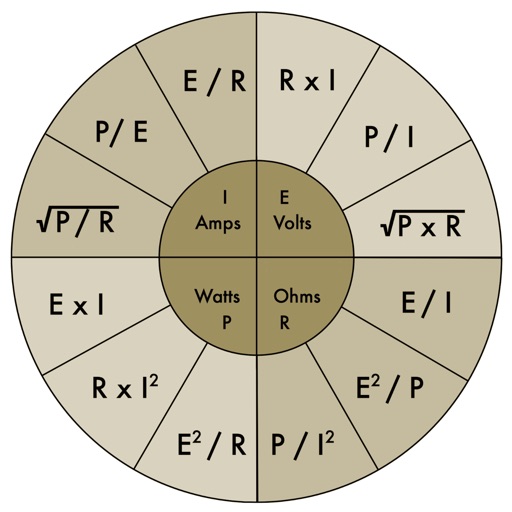
The app provides an electronic pocket reference guide for electrical professionals. It includes sections on motors, wiring, ampacities, grounding, voltage drop, conduit bending, tools, and safety.
Convert decimals to fractions and vice versa. Display equations and results simultaneously. Edit calculations easily. Add to Today Screen for quick access. Ideal for , woodworking, and homework verification.
Calculate measurements with addition, subtraction, multiplication, and division. Convert between decimals and fractions. Display results directly on a visual interface. Mark precise positions without manual calculations.
Provides basic arithmetic operations, memory storage and recall, and support for multiple orientations. Users can perform calculations, save results, and switch between portrait and landscape modes.
The app offers twenty-one educational games covering fifth-grade subjects like math, science, and language arts. It reinforces skills in fractions, algebra, grammar, and more through interactive activities designed for ages 9-12.
Perform basic and scientific calculations with equation display and history tracking. Switch between binary, octal, decimal, and hexadecimal modes. Calculate fractions directly. Use widget for quick computations.