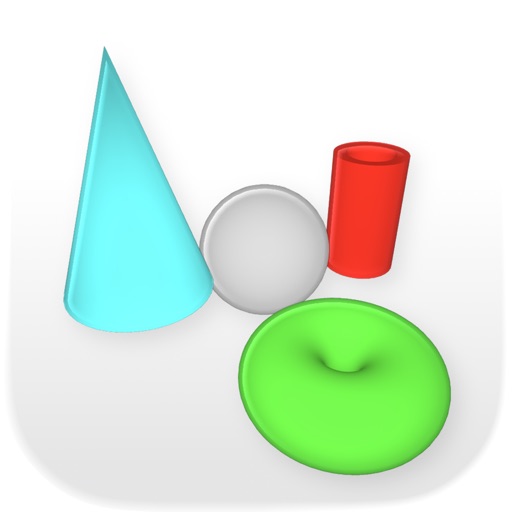
The app views GZ, RAR, and ZIP archives, along with 3D content from various formats. It handles 3DS, ASE, OBJ, PLY, and STL files natively and supports bitmap formats like DDS, TIFF, and TGA.
by Seselmo UG (haftungsbeschrankt)★ 3.33 ratingsProductivity$3.99Data updated 2026-09-26
Transfer files between iPhone, iPad, and Mac via HTTP. Manage files with copy, move, delete, folder creation, renaming, and compression. Import files from computer or iCloud. Open common document formats like Word, Excel, PPT.
3D objects using the device's camera. models with tools for shaping, texturing, and lighting. Render 3D scenes and share them directly. Collaborate by viewing and commenting on others' 3D creations.
Play videos at 2X speed or slow them to half-speed with automatic audio pitch control. View files and access password-protected folders. Transfer files via USB cable.
Visualize elevation, slope, and contours in 3D. Export data to DXF, SHP, CSV, OBJ, glTIF, and STL. Analyze terrain features and integrate with AutoCAD and GIS software. Perform quick data exports and simplify complex GIS tasks.
Extract files from ZIP, RAR, 7Z, and other archive formats. Open and manage compressed files directly on your device. Create and extract archives for sharing. View details and organize content within the .
View scanned comics, manga, magazines, and books from ZIP, CBZ, RAR, CBR, and PDF files. Open zipped or RAR files without decompression. Transfer scanned images from computer to device. Navigate pages and adjust display settings.
The app visualizes, measures, analyzes, converts, modifies, prints, and collaborates on 3D models. It supports numerous 3D formats for viewing, modification, and export, with features for collaboration and record keeping.
Control home appliances remotely from anywhere. Monitor and secure devices using voice commands with Amazon Echo, Google Home, or Apple Siri. Manage multiple devices simultaneously via ZigBee, Wi-Fi, Bluetooth, and NB protocols.
Scan and convert documents to PDF. Edit, compress, and organize files. and share scanned documents. Convert Microsoft Office files to PDF. Store and manage all documents in one place.
Print documents, photos, and web pages directly from device memory or cloud storage. Share files via email or messaging. Print supported formats including PDF, DOC, JPG, and HTML. No additional apps required.
Print photos, documents, and web pages directly from your device. Choose print options and settings. Compatible with most wireless printers. Share printed content with others. No additional software required.
Convert documents, photos, and other files into PDFs with one tap. Merge multiple files into a single document. Edit text, add watermarks, and adjust page layouts. Save and share PDFs directly from the .
The app extracts colors from photos or camera snapshots to create palettes. It displays colors in HEX, RGB, HSL, and HSB, and allows users to copy codes or export palettes in various file formats for design projects.
The app supports djvu and pdf formats with a visualization system for mobile devices. It offers elegant design, extended functionality, and high speed for working with large documents.
Unarchive files in .zip, .rar, .7z, .bz2, .tar, .gz, and other formats. Open password-protected archives. Create .zip files from multiple files or entire directories. Transfer files via Wi-Fi or iTunes. Upload multiple files to cloud services.