The app allows users to play the Tulum, an ethnic instrument similar to the bagpipe. It is a harmonic wind instrument capable of sounding two notes simultaneously.
by Davut Engin★ 5.01 ratingsMusicFreeData updated 2026-09-26
Create musical compositions using numbered notation with support for various rhythms and pitches. Input lyrics and accidentals, and adjust key signatures and tempo. Play back notation with sound, select sections for playback, and set instruments.
Play chords and melodies using a tactile keyboard interface. Hold buttons and swipe or tap to create sounds. Access chords and notes via a grid for precise selection. Adjust pitch, harmonize, and apply real-time audio effects.
Create and control immersive and for live performances and studio sessions. Adjust parameters to shape tone and texture. Trigger transitions and effects in real time. Sync with audio interfaces for seamless integration.
Create and customize beats using and studio-quality samples. Access free monthly sound packs and watch tutorials to learn beatmaking. Record tracks, share them via social media with a hashtag, and apply effects to enhance sound quality.
To sight notes in G and F clefs. Practice notes across six octaves, including those above and below the staff. Randomly generated notes apply to any instrument. Switch clefs for varied practice. Beginners can limit octaves and set their pace.
Create and customize music with 3 synthesizers and 1 drum machine. Loop, modify, and erase instrument sounds. nimated visuals that respond to music. Adjust animation styles and interact with visuals in real time.
Learn to play the by viewing finger positions on a 2D . Hear each musical note and listen to a live demonstration. Access lessons for structured practice and instruction.
Create and manipulate sounds using virtual analog modules. Adjust oscillators, filters, and envelopes. Route signals through effects like reverb and delay. Save and load presets. Export audio files and share via social media or email.
Play notes by tapping the screen to create melodies. Adjust volume and pitch settings. Save and replay performances. Share recordings via social media links provided.
Connect your Techno or neo to play music. Choose from various instrument sounds and built-in rhythms. Adjust settings to customize sound. Access controls through a simple, intuitive interface. Jam along with pre-set beats or create custom tracks.
The app provides a library of chord diagrams for guitar, ukulele, banjo, and mandolin. Users can look up and learn chords with fingerings and variations, and hear how they sound on their selected instrument.
Offers groove presets and custom beat creation. Play along with favorite songs via InterApp, Audiobus, Core MIDI, and clock MIDI. Share patterns through iTunes file sharing or Audio Copy. Features a realistic analog interface for vintage enthusiasts.
Detects objects by measuring magnetic field strength in microtesla. Displays real-time magnetic field levels. Uses device's built-in magnetometer. Alerts users when is detected nearby. Helps identify metallic objects in close proximity.
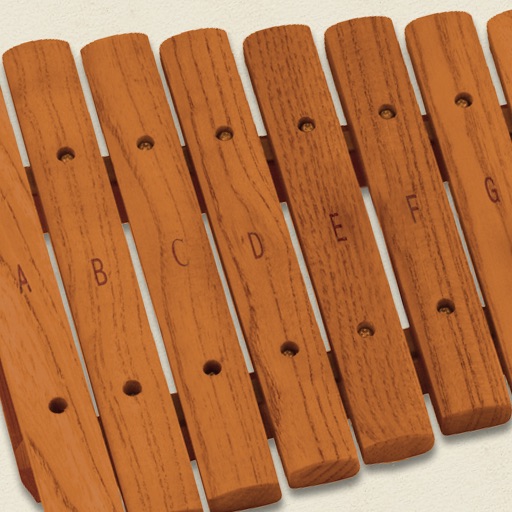
The app simulates a marimba, a percussion instrument with wooden keys arranged like a piano. It produces musical tones when struck with mallets, offering a chromatic layout for performers.