Create photo collages and composite images by combining up to 11 photos in a single layer. Remove unwanted areas with the background eraser tool. Adjust color tones to enhance image appearance. Export edited photos in various formats.
by handyCloset Inc.★ 4.819,832 ratingsPhoto & VideoFreeData updated 2026-09-08
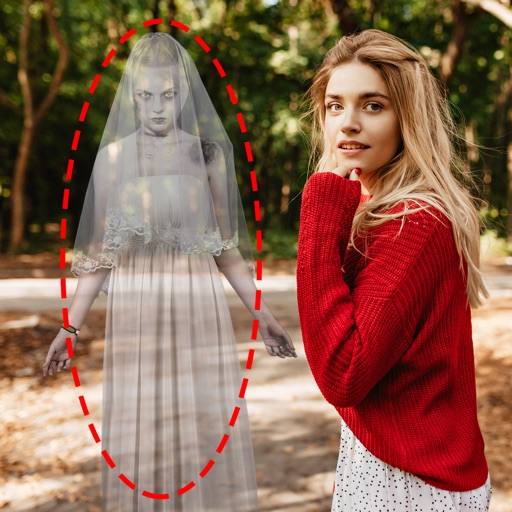
Edit photos by adding ghosts, monsters, or zombies from 62 options. Adjust transparency, color, saturation, brightness, and contrast for each creature. Position and resize creatures freely. Share finished photos with friends.
Create collages by selecting from 1000+ layouts, grids, and templates. Add photos, adjust sizes, and apply filters. Share collages directly to social media or via email. Edit text, add stickers, and crop images within the .
Create photo collages and video slideshows with customizable layouts, colors, and patterns. Add text, filters, and music. Edit photos with object removal, skin softening, and blur effects. Include stickers, outlines, and background adjustments.
Remove unwanted objects, text, or backgrounds from images or videos. Use finger gestures to select areas for deletion. Automatically blend removed sections with surrounding content for seamless results. Edit both static images and clips.
Edit photos and images with advanced tools for retouching, layering, and painting. Create multi-layered art and designs. Adjust colors, contrast, and lighting. Export in various formats and share directly.
Create image compositions with layers, shapes, and text. Edit photos with touch-up tools and painting features. Add filters and adjustments. Export in various formats and share directly.
Edit photos by removing backgrounds using neural network technology. Choose from various options or leave as white. Upload selfies and replace backgrounds instantly. Export edited images in standard formats.
Edit photos with advanced filters, lighting adjustments, and blur. Add text, stickers, and effects. Crop, rotate, and enhance details. Export in various formats and share directly.
Backgrounds from images using a variety of tools. Select and erase unwanted areas with precision. Save as transparent PNG or replace with a new . Edit and refine edges for clean results. Export edited images in multiple formats.
Auto-focus and exposure adjust automatically for portraits. AI enhances depth and background blur. Use Photo Coach for real-time guidance on composition and technique. Edit photos with filters, cropping, and adjustments.
Edit photos with facial retouching tools to remove blemishes and enhance skin tone. Add artistic filters and effects to selfies and portraits. Export edited images in high quality and share directly from the .
Edit photos with AI-powered lighting correction, exposure adjustment, and shadow detail enhancement. Retouch faces and bodies, experiment with makeup and hairstyles, and create collages or videos. Share edited content directly.
Apply 800+ professional with themes like retro, vintage, and cyberpunk. Customize and use DNG feature for advanced editing. Add blockbusting overlays to enhance photos and videos. Export edited content in various formats.
Edit photos with AI-powered enhancement, restoration, and colorization. Remove unwanted backgrounds and repair scratched images. Save and share edited photos in various formats.
Edit photos by removing objects with a magic eraser and auto-cutout tools. Adjust colors, apply filters, and enhance details. Save and share edited images directly.
Create slide shows by combining photos into videos. Choose from 150+ transitions and 50+ tracks. Adjust photo size or without cropping. Support multiple aspect ratios. Add 20+ animations and edit photos and freely. Share or save the final video.
Add vibrant color to specific image areas using the Color Splash Effect. Adjust intensity and placement. Export edited in various formats. Share directly from the .
Edit photos with filters, cropping, and brightness adjustments. Create collages and custom cards with design tools. Add text, stickers, and backgrounds. Export edited photos in various formats and share directly.
Remove backgrounds from photos using deep neural networks. Cut out people or objects and paste them into new images. Swap backgrounds and save edited images in various formats.