Apps Like Awesome Xylophone Lite for iPhone and iPad
Virtual xylophone for iPod Touch
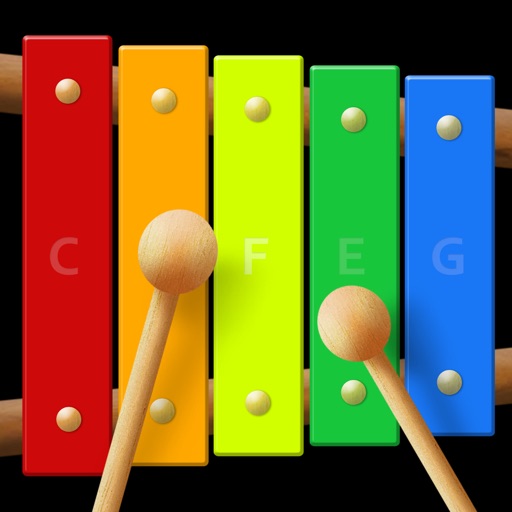
The app is a virtual xylophone application for iPod Touch, iPhone, and iPad. It features multi-touch for playing chords and includes xylophone mallets animation with retina display support.
by Jeongmo Yeon★ 3.231 ratingsMusic$0.99Data updated 2026-09-26
The app provides a virtual xylophone experience for iPod Touch, iPhone, and iPad. It features multi-touch capabilities for playing chords and an instant recording feature for solo duets.
Play eight basic music notes with realistic sounds and animations. Learn to play children's songs through interactive musical notes. Explore musical exploration with a colorful interface designed for fun and learning.
Play a with 11 high-quality notes. Use multitouch and slide between bars to create melodies. Record and playback performances. Share created music directly.
Play notes with multi-touch gestures to create melodies. Tap keys to produce realistic xylophone sounds. Choose from colorful, child-friendly graphics. Practice finger coordination through interactive gameplay. Adjust volume and sound settings.
Navigate levels by timing jumps and avoiding obstacles. Adjust difficulty settings and unlock new characters. Track progress and replay levels with different power-ups. Share scores and compete with other players.
Create and record music using Touch Instruments and a full-featured studio. Play virtual keyboards, guitars, and drums with Multi-Touch gestures. Use Live Loops to create beats. Plug in instruments for real-time effects.
Introduce toddlers to with interactive instruments like piano, drums, and xylophone. Play nursery rhymes with synchronized animations. Pop balloons to identify objects and hear voiceovers.
The app introduces children to music with a colorful baby xylophone. It features background music, nursery rhymes, and smooth animations to keep young minds curious and engaged.
Play chords and create music directly on the device. Learn chords and strum patterns with interactive lessons. Record and share performances. Simulate playing with realistic sound and feedback. Adjust settings for different playing styles.
Play using a virtual with realistic sound. Choose from multiple instruments including , violin, and harpsichord. Access free songs and chords for practice. Adjust settings to customize sound and playback.
Play without internet or WiFi. Import and save tracks in formats like MP3, FLAC, WAV, and AAC. Transfer to iOS devices. Create and manage playlists. Control playback with headphones. Adjust equalizer settings.
View and playback guitar, bass, and drum with realistic playback. Access unlimited learning features like speed control, looping, soloing, muting, and pitch shifting with a subscription. Export and share chord progressions.
Stream live and on-demand Bible Broadcasting Network content. View Facebook and Twitter updates. Share virtual invitation cards to spread the message. Listen anytime on iPhone, iPad, or iPod Touch.
Play and practice with a wide selection of songs. Access over 10,000 tones via the BIAS tone engine. Automatically display chords for songs in real-time. Adjust tempo or loop sections for practice. Sync with the amp for jamming.
Explore musical instruments like , xylophone, and flute through interactive . Tap keys to play notes, complete melodies, and earn rewards. Learn basic concepts through play and repetition. Share progress with parents via in- reports.
Play a full 88-key with touch-based keyboard. Adjust key size for different hand sizes. Switch between 128 instrument sounds including , electric , and harpsic.
Learn to play the by recognizing musical notes and pressing keys to create chords. Practice playing simple tunes. Explore other musical instruments in the . Track progress through interactive lessons and exercises.