The app offers tools to enhance photos, remove blemishes, and apply various effects. Users can combine photos into collages, add stickers and frames, and adjust image properties like brightness and contrast.
by Axiem Systems★ 4.73,246 ratingsPhoto & Video$1.99Data updated 2026-11-18
Decorate photos with festive frames and color effects. Add bokeh effects and stickers. Share edited photos directly with contacts. Apply pre-designed frames and customize colors for images.
Create and share short videos as animated GIFs or MP4. Capture frames with the or import photos, videos, or live photos. Apply real-time color filters, add text or frames, and record stop motion.
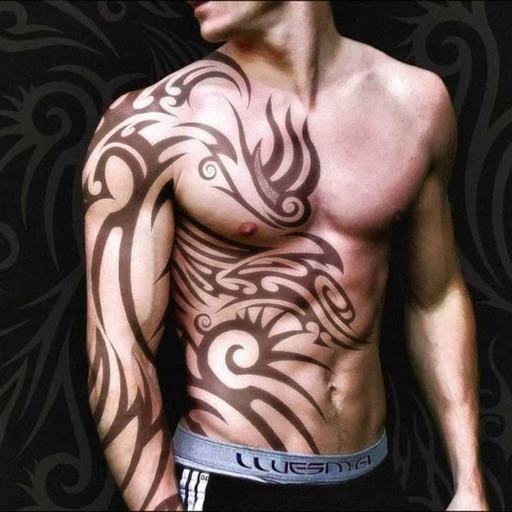
Create tattoos on photos with high-definition images. Select from various styles like dragon, color, love, and kanji. Apply effects and save or share directly. Choose photos from camera or gallery.
Create -themed collages using 100+ available frames. Add text with customizable fonts and colors. Adjust opacity and rotate images. Select photos from gallery or camera. Apply effects to enhance visuals.
Edit photos with auto enhance, wrinkle removal, skin smoothing, and blemish removal. Whitening teeth and removing red eye. Adjust color, sharpness, and apply color splash. Add background music and record voiceovers.
Edit photos with single-tap effects and professional filters. Adjust brightness and contrast. Apply blur and focus tools. Enhance portraits with specialized filters. Export edited images in various formats.
Edit photos with HDR effects, filters, and detailed adjustments. Enhance images with powerful lighting and contrast tools. Save and share edited photos in various formats.
Edit photos with modern filters and presets. Adjust colors and tones using advanced grading tools. Crop, rotate, and enhance images with precise controls. Export in various formats and share directly.
Decorate photos with over 400 styled stickers. Place stickers using simple and intuitive controls. Add text, filters, overlays, and frames to enhance images. Supports iPhone, iPod Touch, and iPad.
Create collages by combining multiple photos into one with customizable layouts. Apply one-touch filters for instant effects. Add text, letters, and stickers to photos. Export and share finished collages directly.
Create collages by combining multiple photos into a single framed image with captions. Add 2D and 3D effects. Share finished collages on social media platforms like Facebook, Twitter, and Flickr.
Edit photos by reshaping parts like waist, hips, and arms. Add muscle definition to specific areas. Smooth skin and adjust facial features. Save and share edited images directly.
Edit photos by removing objects with a magic eraser and auto-cutout tools. Adjust colors, apply filters, and enhance details. Save and share edited images directly.