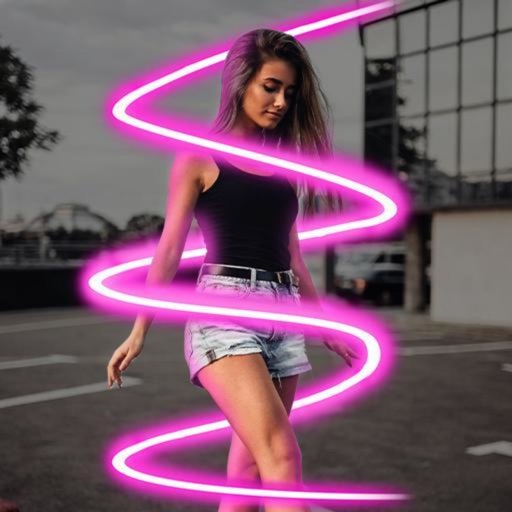
Create digital paintings using a brush for intricate curves and unique patterns. Adjust brush settings for different effects. Combine brush with regular brush for varied artwork. Export and share finished drawings.
by Anatoly Weinstein★ 4.434 ratingsPhoto & VideoFreeData updated 2026-09-08
Color pages with tap, swipe, and brush adjustments. Choose from kawaii-style illustrations featuring bears, bunnies, flowers, and scenes. Use soft pastel color palettes for a gentle, dreamy experience.
Edit photos with brushes and black-and-white effects
Edit photos by converting them to black and white and selectively retaining with a finger brush tool. Zoom in and out using two-finger pinching for precise adjustments. Share edited images via email or upload to Twitter, Flickr, or Dropbox.
Create custom geometric art based on a chosen word. Generate 100 variations for each word. Export high-quality designs. Use as signatures, wallpapers, or for personalized products like T-shirts and phone cases.
Create and edit drawings with over 20 colors and adjustable brush sizes. Save drawings and their creation process in a built-in gallery. Replay or resume drawings at any time. Draw on iPhone, iPad, or iPod Touch.
Take selfies with real-time beautifying filters. Adjust skin tone and appearance using specialized filters. Swipe to switch between different filter options. Share edited selfies directly.
Blurify allows users to specific areas of a or the entire background. They can select from various brush types and shapes to apply . Adjust the intensity using a slider. Pre-set effects can be applied for different styles.
Manage a virtual by , feeding, and cleaning its stall. Brush and wash the , change shoes, and remove dirt. Track health, manage feeding schedules, and interact with the environment to maintain the appearance.
Create seamless patterns using 17 symmetry types and 23 templates. Draw with 18 brushes including pencil, liner, and airbrush. Use symmetry guide lines to align designs. Export patterns in multiple formats.
Create still or animated drawings that flow and evolve. Use generative brushes for natural, responsive sketching. Design fluid artwork for backgrounds or sharing. Adjust brush settings for precise control. Export drawings in various formats.
Apply art to photos for creative visuals. Add spiral effects and blur backgrounds. Use emoji art, background art, and outline art to enhance images. Apply AI, cartoon, neon, and mask effects. Create retro, atlantis, and big camera styles.
Turn photos into paintings using preloaded styles and custom brushes. Adjust brush strokes with paint masks and save images with transparent backgrounds. Generate unique styles in Workshop mode and share or print finished artwork.
Coloring and drawing with 100+ free girl-themed images. Use 9 unique brushes and 50+ pattern brushes to create artwork. Record drawings as animated clips. Save and share creations. Switch between coloring and freehand drawing modes.
Edit photos with filters, masking tools, and multiple filter layers. Apply selective filters using advanced masking to create effects like color splash or tilt shift. Adjust and combine filters for custom results.
Convert photos and videos into paintings or hand-drawn animations using AI. Apply sketching or painting styles with adjustable textures. Save the artwork process as a video. Choose from five standard art tools.
Create original artworks using particle brushes for light effects and designs. Adjust brush settings for texture and flow. Save and share creations directly. Explore artistic inspiration through interactive tools.
Draw with responsive touch input and customizable brush sizes. Apply sparkle animations while creating art. Save drawings to the device photo album. Share completed artwork directly.