
Finger Paint (Ape Apps)
Brandon Stecklein
Create art with many colors.
The app provides a blank canvas and over 40 colors for finger painting. Users can select pen sizes, use a flood fill tool, or clear the canvas.

Create art with and brush tools
Create digital paintings using a brush for intricate curves and unique patterns. Adjust brush settings for different effects. Combine brush with regular brush for varied artwork. Export and share finished drawings.
Showing 361–380 of 1,000 ranked alternatives.
Brandon Stecklein
Create art with many colors.
The app provides a blank canvas and over 40 colors for finger painting. Users can select pen sizes, use a flood fill tool, or clear the canvas.

Ricardo Corin
Convert photos into paintings
Turn photos into paintings using AI. Select from styles like Impressionism, Cubism, and Surrealism. Apply filters to mimic artists such as Van Gogh and Picasso. Export edited images in various formats.


Sylwester Los
Open view and extract image files
The app opens, views, and extracts images from abr, tpl, and pat files. It supports all versions of these file formats and allows exporting selected images to various locations.
chetna narula
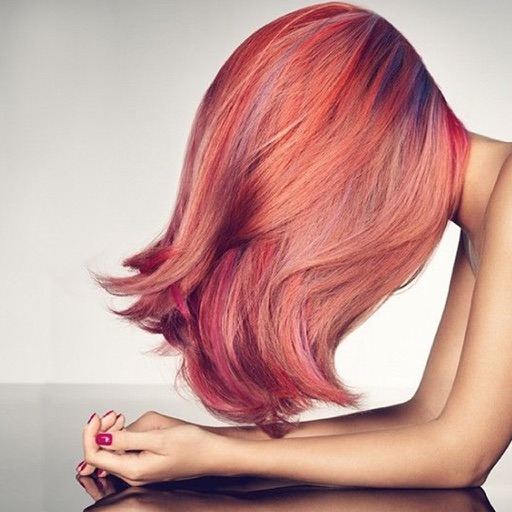
Change in photos and share results
Change in photos by selecting multiple shades and applying them to strands. Brush to highlight sections. Save edited images to gallery or email to friends.

Shin-ichi Nishimura
Draw with speed-sensitive brush
Draw with a brush that adjusts width based on finger movement speed. Create Japanese calligraphy or watercolor paintings. Select or capture background images. Save or export drawings to other apps.
Yuri Vishnevsky
Create art with flowing strands
Create flowing art by swiping fingers to manipulate strands. Merge and fuse strands to form intricate designs. Save and share artwork directly. Features include customizable colors and brush settings.

MITART PP
Details, edit photos, create wallpapers
Images using adjustable strength and soft/hard brushes. Remove stains and defects from photos. Enhance images with high-resolution editing and zoom. Apply focus to hide unwanted details. Offset wrist to avoid finger obstruction during editing.
TRAMBOLIKO GAMES SOCIEDAD LIMITADA
Animals with finger colors
Children can animals using finger gestures as if with crayons or colored pencils. Features include a magic brush for automatic painting, color mixing, and creative drawing. The includes a format to teach color combination and foster creativity.

炳甲 梁
Playback doodles as animated cartoons
Create animated doodles by replaying the drawing process as a cartoon. Use 20+ unique paintbrushes including rainbow, neon, and flower brushes. on photos from camera or gallery. Save and view drawings in a personal gallery.

Sansa Group AB
Rt from text prompts
Use text prompts to generate artwork. Choose an art style and let the AI a painting. Edit and refine the generated image. Share the final artwork directly.
杨杨 戴
Edit images and videos with precision
Edit images with blur, watermarking, and mosaic tools. Apply batch processing and circular brush effects. Adjust videos with blur, watermarking, and mosaic. Add music, stitch videos, and apply covers.
Sam Meech Ward
Paint with cans and create art
Create graffiti art using realistic cans in various colors and sizes. Choose colors and sizes to paint on a virtual wall. Delete or undo drawings. Share artwork with friends.

A2DWebs
, learn, and create anytime
Learn to step-by-step tutorials. Practice techniques and create artwork anywhere. Save and share drawings. Access a library of drawing lessons.

Faris Abdul
Draw and sketch user's ideas easily.
The app allows users to draw and sketch ideas with an easy-to-use interface. It offers various tools like pencil, line, oval, and rectangle, along with an eraser and undo/redo functionality.

风云 余
Matte images with one click
Perform one-click matting for intelligent background removal and hair-level precision. Use smart daubing to eliminate unwanted objects. Manually adjust matting with custom brush or eraser tools. Export edited images directly.
Apps are ranked by functional similarity, category fit, rating confidence, and popularity.