The app allows users to create collages using public domain images from LACMA's collection and the "In Wonderland" exhibition. Users can also incorporate photographs from their device's camera and camera roll into their creations.
by jody zellen★ 3.68 ratingsEntertainmentFreeData updated 2026-09-25
Create art using with 2-fold to 128-fold options. Draw patterns or let the generator create designs. Adjust brush size and style. Share creations on Facebook, Twitter, Instagram, and other platforms.
Create drawings and paintings using augmented reality. Project images onto paper and trace them. Choose from diverse patterns and motifs. Color directly on the projected image. Save and share completed artwork.
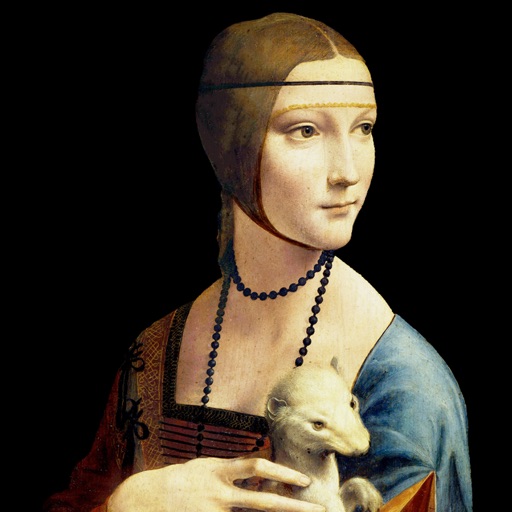
Transform selfies into artistic masterpieces inspired by famous paintings. Apply brush stroke styles from Edouard Manet, Ferdinand Hodler, Alexej von Jawlensky, and Marc Chagall. View original artworks from The Phillips Collection’s exhibition.
Explore detailed information about including title, artist, creation date, dimensions, medium, and current location. Mark as favorites for quick access. Add customizable widgets to your home screen for easy viewing.
Create drawings using AI to enhance sketches into detailed art. Animate drawings with a single click. Generate AI-painted artwork. Participate in drawing and animation competitions. Export creations in various formats.
Explore the legend with historical information, photographs, and videos. Take virtual tours of the museum and its archives. View festival schedules, attractions, and itineraries. Access maps and additional archival materials.
Solve full-color puzzles based on Lewis Carroll's in Wonderland illustrations. Complete 42 puzzles with over half a million squares. Access the entire book to read and illustrate through puzzle solving. No age restrictions mentioned.
Create art using AI to generate images in various styles. Combine generated artworks into collages. Edit photos with tools for adding text, removing backgrounds, and organizing multiple results. Share edited images directly.
Capture photos using a 1-bit camera with only black and white pixels. Choose from three pixel resolutions and an 8-color mode. Features chunky buttons, mechanical sounds, and clean PNG output for printing or further use.
Solve puzzles to rooms with auto-save feature. Tap to examine objects, double-tap to magnify items. Use items on magnified objects. Tap arrows or screen locations to move. Select items for use.
The app provides insights and step-by-step demonstrations from Australian and international artists. It features news, reviews, products, and exhibition previews from the art world.
Create digital paintings from text prompts and art style selections. Choose from styles like Van Gogh, cinematic, or Ghibli. Generate images based on user input and artistic preferences. Edit and refine generated artwork within the .
Create collages by adding photos and selecting aspect ratios. Choose landscape or portrait orientation. Add text to the collage. Shuffle for new layouts. Adjust design with an intuitive interface.
Explore artworks and museum collection stories. Browse journeys linked to paintings. Use location to access guided experiences. Learn about hidden gems and rediscovered classics. View artist insights and special guest commentary.