The app uses live-calculated brushes and strokes with HDR values for a unique art style. It offers gritty paper/canvas textures that interact with drawing tools for a satisfying look.
by Norbyte★ 4.7938 ratingsGraphics & DesignFreeData updated 2026-09-25
To with guided lessons that show real strokes from professional artists. Practice step-by-step techniques to build confidence and accuracy. Use Apple Pencil for precise input and track progress through interactive exercises.
Create flipbook animations with frame-by-frame drawing. Use pressure-sensitive pen and eraser tools for artistic effects. Edit with undo/redo features. Add predefined animations and effects. Export and share finished projects.
Create and edit digital artwork with layers, brushes, and custom tools. Adjust colors, brightness, and contrast. Import photos and sketches. Save and export in various formats. Apply filters and effects. Collaborate with others through cloud sharing.
Create and customize drawings using various tools like pen, line, arrow, rectangle, ellipse, and eraser. Choose from multiple colors including black, white, red, blue, yellow, and more. Save or share generated images directly others.
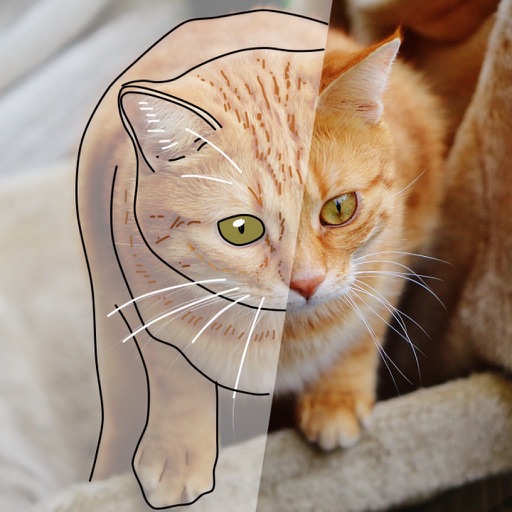
Create freehand artwork from real-life images using AR technology. , , and paint over live camera views. Add text and stickers to drawings. Export creations in multiple formats and share directly.
Take a selfie and submit it for others to portraits. Browse community artwork including masterpieces, doodles, and caricatures. Use GPU-accelerated tools with various brushes for drawing.
Track progress and milestones for early learning. Explore alphabets, numbers, , and coloring through interactive . Access safe, educational puzzles and tracing activities for toddlers.
Create pixel art sprites with drawing tools and a powerful engine. Open and edit pixel art files from Files. Use iCloud Drive for cloud storage. Support Apple for precise input. Import and customize color palettes.
Create mandala paintings using vector-based tools. Zoom smoothly for precise details. Choose from various colors and brush styles. Save and share drawings directly. Adjust layer settings for customization.
Create custom black-and-white line drawings using AI prompts. Draw freely with customizable tools. Access a global community for sharing and feedback. Save and export artwork in various formats.
Create custom avatars and choose from multiple game modes including drawing, guessing, and playing with friends. Participate in daily challenges to compete globally and earn coins by guessing others' drawings.
Edit photos with auto enhancement, artistic sketches, beautiful paintings, and funny cartoons. Apply 700+ filters and . Add frames and stickers. Share edited photos directly.
Create detailed technical illustrations and artistic designs with vector editing tools. Draw, reshape, and color elements with precision. Import and export files in multiple formats. Use layers, masks, and effects for advanced design work.
To cute art with step-by-step lessons. Choose from categories like smilies, food, fruits, and trees. View drawings in list or grid format. Follow detailed instructions to create each illustration. Save and share completed drawings.
Over image templates with automatic pen tracking for accurate . Select from preloaded categories like animals, flowers, and vehicles. Choose from over 150 colors to customize drawings. Export final artwork in various formats.