Edit photos with over 20 available effects. Apply filters, adjust brightness and contrast. Crop and rotate images. Save and share edited photos directly.
by 源 温★ 0.00 ratingsPhoto & Video$2.99Data updated 2026-09-08
Edit photos with color filters, adjustment tools, and customization options. Apply creative color grading. Export edited images in various formats. Share photos using the #digitalfilmapp hashtag.
Apply color filters, adjust hues, and invert colors for editing. Add comic book effects, create monochrome tones, and map colors using custom gradients. Export edited images directly.
Take selfies or select from the photo library. Apply single-tap filters for self-portraits. Save photos and share to Twitter or Facebook. Includes self-timer and professionally designed effects.
Edit photos with unblur, object removal, and background cleanup tools. Apply AI filters, artistic styles, and motion effects. Create photo animations with one tap. Export and share edited images directly.
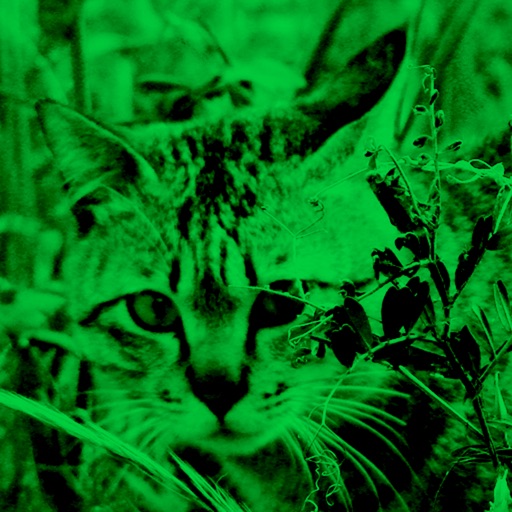
Enhance low-light photos with increased light intake and 8x zoom. Apply thermal imaging, green mode, and binoculars effects. Adjust brightness and contrast for clearer images in dark conditions. Share edited photos directly.
Edit photos with color filters and blend effects. Add hundreds of stickers. Share edited images on Facebook, WhatsApp, Snapchat, and Twitter. Save and export in HD quality.
Record and apply realistic sound effects with high-quality audio. Create and save custom effects. Access monthly added packages via VIP subscription. Manage subscription settings through iTunes account.
Edit photos and videos with time-based filters to alter appearance across ages. Try different hairstyles, haircuts, and colors using uploaded images. Apply popular influencer effects for social media sharing.
Edit facial photos with realistic styles and color customization. Try on various types and adjust colors to match hair. Share edited images directly from the .
Edit photos with filters, overlays, and effects. Create collages and visual stories. Track pregnancy milestones and growth. Add text and stickers to photos. Share edited images directly.
Apply color filters inspired by New City to photos and videos. Use photo effects like Daily, Retro 1, Retro 2, Old, SC, UB, MS, HL, TS, HR, CP, and BB. Apply live filters during shooting. Customize date stamps with specified date and format options.
Edit photos by adding from a selection of styles. Adjust transparency and size using the built-in editor. Save and share customized images with friends and family.
Apply effects like , Doodle, and Hatch to photos. Add photo frames to edited images. Use Photo in Photo feature to overlay sketches on original photos. Edit and share modified photos directly.
Animate photos and videos with customizable effects. Preview effects while shooting. Adjust effects after recording. Add music to synchronize with effects. Export edited content. Share directly from the .
Create film-style videos from photos or capture new moments with a vintage camera. Apply retro filters, use customizable aesthetic templates, and edit videos with timeline controls. Share finished videos directly to social media.
Edit photos with light filters, including circle, frame, star, heart, glasses, and lines. Add text with customizable vector graphics. Apply coloring and create templates for creative artwork. Export edited images directly.
Capture photos and videos with real-time filters applying effects during recording. Adjust filter position by tapping, swiping, or pinching. Edit videos with multiple filter styles ranging from funny to artistic. Share edited content directly.
Create photos with effects and light leaks. Apply 36 shapes and 33 light leak effects. Use 23 image filters. Adjust size, opacity, and color. Draw multiple shapes with touch. Apply multiple shapes to one photo.