The app displays tablature and standard notation for multiple file formats. It offers MIDI playback with speed control, volume, and instrument assignment for tracks, along with a metronome and countdown.
by Matthieu Leschemelle★ 4.7304 ratingsMusicFreeData updated 2026-09-25
Access from multiple sources and create playlists. Search for songs by genre or artist. Play local files or stream online. Organize library and manage playlists. Support various audio formats and background playback.
The app allows users to compose music for various ensembles and offers handwriting recognition with Apple Pencil. Users can import scores, edit notes, and export compositions as PDF, MusicXML, or MIDI files.
Import and organize chords and lyrics from Dropbox, Google Drive, or SongSelect. View up to 30 songs in the free version. Share song sets with other users. Subscribe for more songs and advanced features.
Generate chord progressions based on selected moods for guitar, piano, and ukulele. Explore alternative progressions for song sections like bridges or solos. Listen to examples or play along. Save and share created progressions.
Practice with interactive exercises that improve accuracy, rhythm, and note recognition. Use MIDI instruments, microphone input, or on-screen keyboard for flexible practice. Track progress and refine musical skills through targeted sessions.
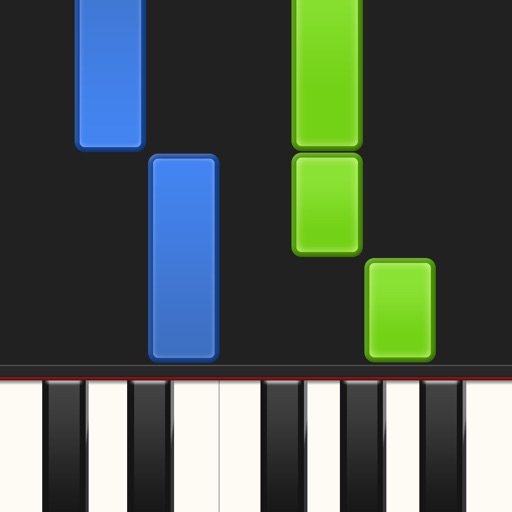
Learn piano by playing falling notes on touchscreen or connected keyboard. Practice melodies with real-time note feedback. Play left or right hand separately. Sync with lighted keyboards. View sheet music or falling note blocks.
Generate progressions for music creation. Export as MIDI files to use in digital audio workstations. Supports EDM, Future House, Future Bass, Hardstyle, Trap, and other electronic genres. Create and integrate chords into music projects.
The app plays FLAC, ALAC, and RAW audio files. It manages songs by playlist, album, artist, composer, and genre, and supports background audio playback.
Practice music theory with multiple choice questions and call and response exercises. Identify musical elements and concepts. Compete against players globally. Track progress and receive feedback on accuracy.
Create and edit and bass with chord notation and rhythmic patterns. Preview and play in real time. Save and organize song ideas. Support for ukulele . Share directly or export as PDF. Sync with other devices for seamless access.
The app allows users to play back multitracks, loops, and click tracks for worship or rehearsal. It offers features for changing song keys and tempos, customizing arrangements, and managing setlists with click track metronomes.
Create and edit using a virtual piano keyboard. Export and import MusicXML files for compatibility with other software. Compose simple piano pieces or complex symphonies. View and adjust musical scores with a user-friendly interface.
Create musical compositions using traditional notation or guitar tablature. Edit scores with touch-based interface and advanced tools. Play piano keyboard, fretboard, or drum pad. Use handwriting recognition for input. Export and share compositions.
Learn to play with real-time feedback and a visual interface. Access a large library of songs for piano, keyboard, guitar, and bass. Use MIDI controllers or instruments to play along. Track progress and set practice goals.
And arrange , bass, and drum parts in compositions. View and edit tablature for and drum parts. Use MIDI and Inter- Audio instruments for background sounds. Build harmonies and visualize note relationships.
Create and edit musical scores and tablature with tools for notation and tab editing. Import or start new scores. Share files with collaborators. View and analyze existing sheet music and tablature. Adjust notes, rhythms, and formatting.
The app converts MIDI files into synchronized sheet music. It supports multiple clefs and offers song management features, including downloads and iCloud synchronization.