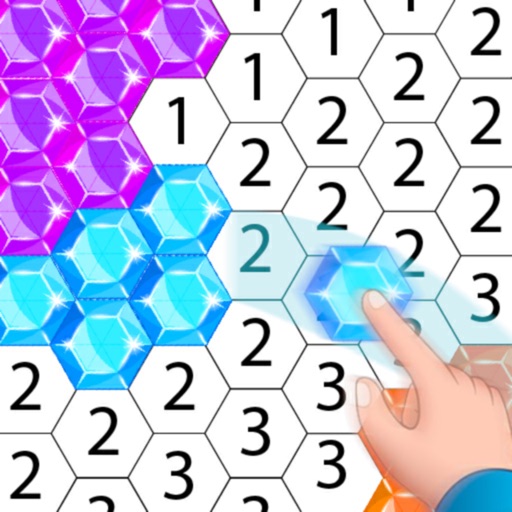
Create artwork using , gem, flower, and other materials. Select images from various categories and follow numbered steps to complete drawings. Customize colors and save creations. Share finished pieces with others.
Create digital art with drawing, coloring, and animation tools. Use versatile templates for Anime, Animals, Flowers, Landscapes, Mandalas, and more. Access dual drawing modes for layered artwork.
Use AR camera to trace and sketch projected lines onto paper. Draw over real-world objects with digital ink. Save and share artwork directly. Adjust line thickness and color. Export drawings in multiple formats.
Book allows users to color pages, add finger paint effects, and save artwork. Includes holiday and themes. Features include erasing, zooming, and sharing completed drawings.
Edit photos by applying customizable textures from a library of 45+ patterns. Adjust brush size and texture opacity for precise control. Change texture colors to match the image's tone using the Tint feature.
Teach bathroom habits through interactive games. Encourage creativity with customizable stickers and story creation. Develop math skills with simple calculation exercises. Include a painting tool for artistic expression.
Choose from various drawings to color. Select colors and tools to customize each illustration. Save or share completed artwork. Access for horses, dogs, and other animals.
Create relaxing paintings by tapping to color. Access new free graphics daily. Share time-lapse videos with friends. View high-quality artwork and enjoy an easy, stress-free experience.
This app provides children with drawings of various subjects to color using their fingers. Children can learn color combinations, save, and share their creations, enhancing concentration and creativity.
Drawing techniques through step-by-step lessons. Create and customize sketches with various tools. Access coloring features and save artwork. Share drawings directly from the . Track progress and revisit previous lessons.
Use augmented reality to and images from photos or the camera. Draw on paper with a pencil using phone support. Convert photos into drawings. Save and share artwork.
Create festive winter scenes by painting detailed illustrations. Choose from snow-covered villages and twinkling trees. Customize colors and brush strokes. Save and share finished artwork. Relax and unwind with calming holiday themes.
The app allows users to create glow paintings, fireworks, and animated text art. It offers vivid glow colors and flexible adjustments for a relaxing and fun experience.
Coloring book allows users to select images and cells by tapping numbered sections. Features include choosing colors from a palette, following numbered guides, and completing artwork. Users can save and share finished drawings.
Create mandala paintings using vector-based tools. Zoom smoothly for precise details. Choose from various colors and brush styles. Save and share drawings directly. Adjust layer settings for customization.
By allows users to select pre-made images and fill them using numbered codes. Users can zoom in on the drawing, choose colors, and match them to the image. Autosave functionality is available, and new pixel art and by puzzles are added daily.
Allows children to draw using color selection, shape tools, and an eraser. It plays when drawing and includes a random color option. Users can change line thickness and save drawings.