Edit photos and save them to the album. Share images via email, Twitter, and Facebook. Apply virtual glasses to photos for a new look. Send edited photos to friends directly.
by OH NAM KWON★ 4.321 ratingsPhoto & VideoFreeData updated 2026-09-08
Browse and copy emojis from categories like Naughty, Funny, and Love. Share via Message, Mail, Twitter, and Facebook. Includes 1500+ emojis, redesigned versions, and all current iOS emojis. Supports large and stylized emoticons.
Edit photos by adding customizable beards and mustaches. Choose from various styles and positions. Resize or rotate elements using multitouch. Save edited images and share them with others.
Create animated pet images with voice outputs. Add props like glasses and stickers to . Record messages for pets to repeat. Share customized pet images with friends.
Edit photos with multiple props, frames, and effects. Apply presets and overlays. Capture photos in portrait, landscape, or square orientation. Share images directly to social media. Supports iPad, iPhone, and iPod Touch.
Create comics from photos with balloons, captions,
Create comics from photos with word balloons, captions, stickers, and filters. Add text overlays and adjust colors. Save and share finished comics directly.
Turn photos into realistic with advanced filtering and detailing tools. Create unlimited and save high-resolution versions. Capture photos directly within the for immediate creation.
Take photos and videos with 200+ real-time filters, motion graphics, textures, and light leak effects. Adjust skin tone and apply vintage looks. Export edited media in various formats and share directly.
Edit photos with reshape tools to adjust proportions and add muscle definition. Enhance facial features with retouch options. Apply filters and effects. Save and share edited images directly.
Edit photos by applying faces and filters. Choose from free templates to try on. Upload photos from albums or Facebook. Share edited images on Twitter or Facebook. Select preferred for personal use.
Turn photos into paintings with one-tap conversion. Edit, add signatures, and share on social media. Print artwork via CanvasPop with frame and size options. Transform videos into animated paintings.
Magnify text and images from 1x to 4x with pinch-to-zoom. Use auto-zoom options at 2x, 3x, or 4x. Includes flashlight for low-light reading. Adjust brightness and contrast for clearer visibility.
Turn photos into cartoon-style images with customizable features like beards, hats, and glasses. Choose from daily updated backgrounds and share creations on social media platforms.
Apply flower to photos from your album. Choose from various like roses, daisies, and sunflowers. Add color filters and adjust appearance. Share edited photos with family and friends.
Record with a pause button to stop and restart recording. Trim and cut videos using the built-in editor. Apply filters like black and white, sepia, or hipster. Save videos in 4K format.
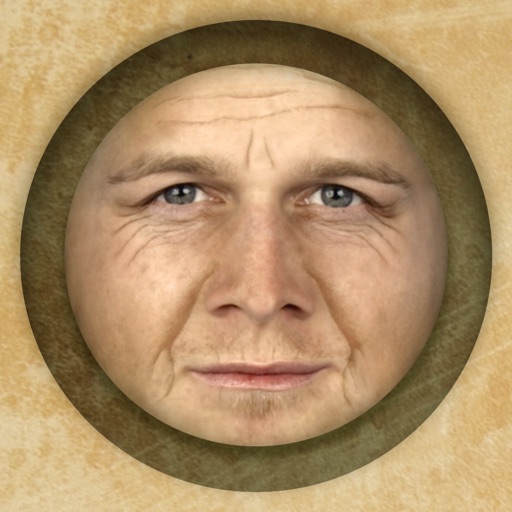
Predict how faces will look as they age. Upload photos to generate aged versions. Adjust aging intensity and style. Share results via email, messaging apps, and social media. Includes features like shaking to trigger aging effects.
Apply effects to photos. Share edited images on Facebook, Twitter, WhatsApp, and Instagram. Adjust settings to customize the appearance. Save and export modified photos.
Stitch multiple photos into a single image. Share the result on Facebook, Twitter, and Tumblr. Adjust alignment and spacing between images. Export in various formats.
Edit photos with AI-powered style transformations, including hairstyles, hair colors, and makeup. Try different outfits and accessories. Save and share edited images directly.
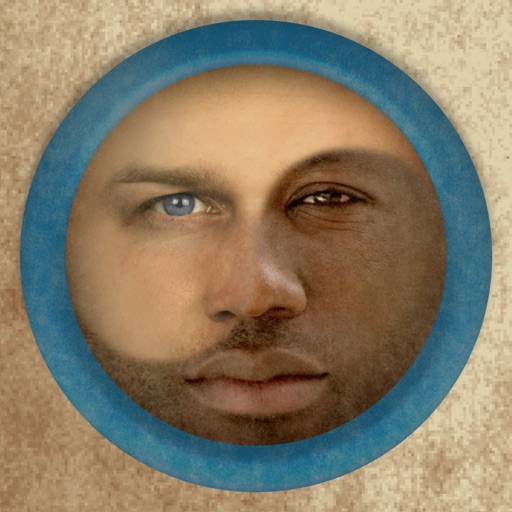
Merge faces to create humorous mixed images with friends, family, or celebrities. Adjust facial features and proportions. Share results via email, MMS, Facebook, or Twitter. Use preloaded example pictures or upload photos.
Create album covers from photos with customizable templates and design tools. Add text, stickers, and parental advisory labels. Export and share finished covers directly.