Teaches touch and drag skills with single or multitouch gestures. Users drag fingers across the screen to reveal colored shapes and patterns. Different sound effects change pitch. Tiles fade when fingers are lifted.
by Inclusive Technology★ 5.01 ratingsEducation$3.99Data updated 2026-09-08
Read aloud with interactive narration to help children learn reading and counting. Features include number recognition, animal characters, and a story format for preschoolers.
The app introduces children to music with a colorful baby xylophone. It features background music, nursery rhymes, and smooth animations to keep young minds curious and engaged.
Early learning with interactive , stories, and activities for toddlers. Children can explore letters, numbers, shapes, and colors. Features offline access, no ads, and safe, distraction-free environment.
Create lightning by tapping the screen in a simulator with realistic thunder and rain sounds. Choose from three locations: sunset, misty forest, or night coast. Control rain, wind, and owl sounds via bottom icons.
Explore interactive for babies and toddlers aged newborn to 4. Tap to discover sensory activities, swipe to navigate, and press buttons to engage with colorful visuals.
Play with drag, tap, or swipe gestures to move cards. Solve puzzles using a deck of cards arranged in 10 columns. Access a of mini games including Spades, FreeCell, Pyramid, Canfield, Golf , 2048, White Tiles, and Unblock Me.
OREON STUDIOS OYUN YAZILIM TEKNOLOJI TICARET ANONIM SIRKETI
Tap blocks to clear the screen
Tap blocks to remove them and clear the screen to reveal hidden objects. Rotate shapes by sliding fingers to clear blocks from all angles. Plan moves carefully as blocks only move in one direction.
Identify and objects by matching to corresponding holes. Explore 6 themes 90 . Choose from 12 languages. Navigate puzzles without a main menu. Transition smoothly between screens. No control panel required.
Raise a virtual by watering it daily and keeping it clean. Rename and customize the background. Move, tap, and rotate . Watch it grow over time or wither if neglected.
Learning through interactive games, children can identify colors and shapes, practice letter recognition, and develop memory skills. Activities include matching broken pieces, finding differences, and following sequences.
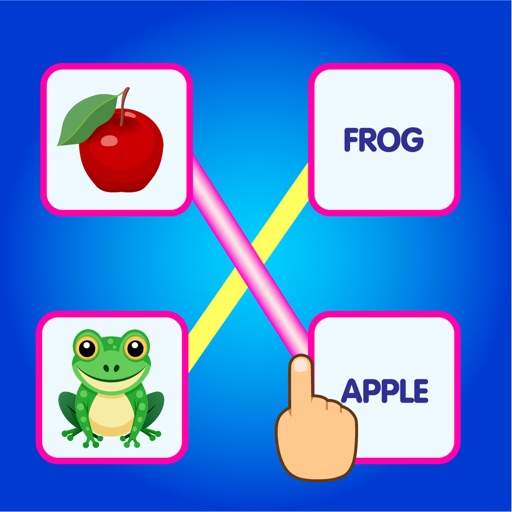
Teaches through games. Users match images of objects with their names. Includes categories like animals, fruits, and vegetables. Helps children recognize words and improve vocabulary. Suitable for ages 3-10 and grades 1-5.
Create flowing art by swiping fingers to manipulate strands. Merge and fuse strands to form intricate designs. Save and share artwork directly. Features include customizable colors and brush settings.