Allows users to edit group photos by removing unwanted people or faces. Adjust expressions and reposition individuals within the frame. Apply filters and effects to enhance the overall appearance of the image.
by Yair Bar-On★ 4.3851 ratingsPhoto & VideoFreeData updated 2026-09-08
Edit photos with filters, cropping, and brightness adjustments. Add text, stickers, and borders. Export in various formats and share directly. Adjust colors and apply effects for enhanced visuals. Simplify editing with an intuitive interface.
Photos using AI-powered detection. Select and erase unwanted , captions, or date stamps. Preserve image texture and natural appearance. Export edited photos directly.
Capture photos and videos with real-time filters applying effects during recording. Adjust filter position by tapping, swiping, or pinching. Edit videos with multiple filter styles ranging from funny to artistic. Share edited content directly.
Edit photos with background removal, image enhancement, and adjustment tools. Add text, stickers, and filters. Export in multiple formats and share directly.
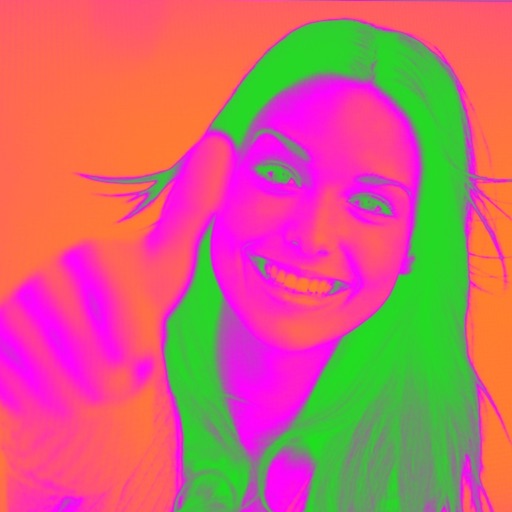
Turn your camera into a creative tool with . Apply fluorescent color filters to photos. Choose from 30 color combinations. Tap to switch views and capture images with unique color effects. Share edited photos directly.
Identify and duplicate photos using smart grouping. Recognize favorites, edits, faces, and eye states. Confirm photos to keep; remaining images are moved to the Bin for final review before deletion.
Display multiple videos or images on a single in customizable grid layouts. Play videos with sliding controls for playback, volume, looping, and speed adjustments. Record and save videos. Lock to prevent accidental touches.
Edit photos with multiple props, frames, and effects. Apply presets and overlays. Capture photos in portrait, landscape, or square orientation. Share images directly to social media. Supports iPad, iPhone, and iPod Touch.
Edit photos with basic tools like cropping and adjustments. Apply AI-powered art filters for creative effects. Enhance images with intelligent editing features. Save and share edited photos directly.
Edit photos with unblur, object removal, and background cleanup tools. Apply AI filters, artistic styles, and motion effects. Create photo animations with one tap. Export and share edited images directly.
Create artistic images with single-tap camera effects and professionally designed filters. Adjust brightness, contrast, and tone curve. Blur and focus images. Rotate, crop, and resize photos. Add text and fun stickers.
Blur faces automatically using facial recognition. Add blur, solid color, or emoji to hide faces. Resize and reshape blur regions. Adjust color and effects. Share edited images to photo library and other apps.
Edit photos with customizable romantic . Apply pre-designed themes for special occasions. Save and share edited images directly. Adjust frame styles and colors for personalization.
Allows users to apply effects to backgrounds. Select images from the gallery or capture new photos. Use multiple blurring tools to adjust the effect. Export edited images directly.