The app displays selected photos in 3D slideshows with various formations like cubes and pillars. Users can interact with the slideshows and filter images for display.
Create video slideshows by selecting photos from the gallery or camera, adding tracks, and applying animations. Choose from various effects and layouts to customize the video. Export and share the final video directly.
The app allows users to combine photos and music to create slideshow videos. Users can choose and arrange photos, edit them, add transitions, select music, and then save or share the video.
The app allows users to share photos and videos on a TV using Chromecast. Users can create custom slideshows with music and select from multiple photo framing modes.
Edit photos and videos with transitions, special effects, text animations, and filters. Sync content to trending music. Use pre-made templates. Share directly to TikTok, Instagram, Snapchat, and YouTube.
Hide photos, videos, and Live Photos with customizable album covers. Set fake password mode for restricted access. Enable emergency switch to lock the by placing the phone face down. Detect break-in attempts with privacy alerts.
Browse -related images with tag-based search and autocomplete. Share content directly. Save to Photos or Files. View favorites offline. Customize home screen with pinned searches and folders. Set blacklist rules. Access slideshow mode.
Display photos from device storage, iCloud, Facebook, Flickr, Instagram, Google Photos, and Dropbox. Show all photos or specific albums. Customize frame layout and transition effects. Share photos via social media or email.
Create photo collages and video slideshows with customizable layouts, colors, and patterns. Add text, filters, and music. Edit photos with object removal, skin softening, and blur effects. Include stickers, outlines, and background adjustments.
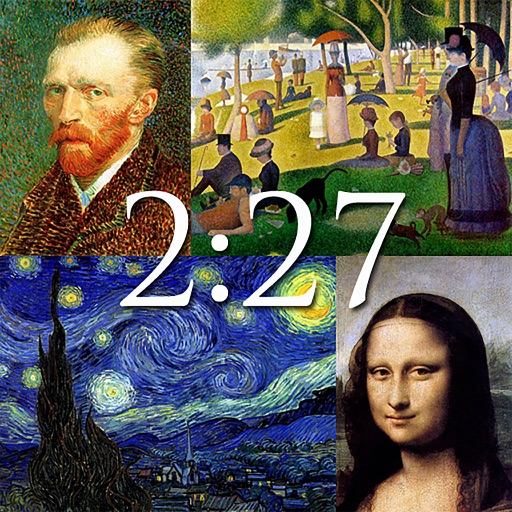
The app displays notable works of art from artists like Van Gogh, Monet, and Da Vinci. It functions as a clock with customizable backgrounds and a slideshow option, or users can save images as wallpapers.
Create slideshows with photos and music. Select images from device library. Add background music. Export and share videos. Access premium features via subscription. Manage subscriptions through .
The app transforms photos into hand-carved or rubber stamps with options for rough effects and transparent backgrounds. It includes AI background removal and a feature to convert images to vector graphics.
Create videos by selecting photos from the gallery and adding music. Choose from 50+ transition effects. Adjust frame speed and layout ratio options including portrait, square, and landscape. Preview and edit in real time.
Hide and protect photos and videos with password encryption and biometric access. Organize media into folders. Set access restrictions and view usage history. Share selected content securely via links.
The app transforms user photos into videos using an AI that analyzes quality, faces, composition, and lighting. It offers over 40 transitions, a music library, and export options for various social platforms.
Store and manage private photos and videos with password lock, Touch ID, and album lock. Enable cloud storage for secure backup. Disable Touch ID and customize icons for added privacy. Encrypt files using triple encryption technology.