Practice handwriting, draw spirals, strengthen motor skills
Practice handwriting with customizable drawing tools. Adjust painting speed for different skill levels. Use varied colors, thickness, and calligraphy effects to enhance motor skills and penmanship accuracy. Track progress through repeated exercises.
by Anatoly Weinstein★ 3.645 ratingsEducationFreeData updated 2026-09-08
Edit photos by adding text with customizable fonts and calligraphy styles. Insert names as signatures with unique designs. Adjust text size and placement. Share edited images directly.
Teaches letter sounds, first words, and handwriting. Includes interactive exercises and progress tracking. Aligns with Common Core State Standards. Supports classroom and home use. Includes research-backed learning methods.
Children can animals using finger gestures as if with crayons or colored pencils. Features include a magic brush for automatic painting, color mixing, and creative drawing. The includes a format to teach color combination and foster creativity.
This app provides a simple, colorful, and cheerful painting game for babies. It encourages early interaction with the screen through animations and sounds, allowing for independent play.
A game for children aged 1 to 6 featuring 26 cartoon animals. Complete puzzles to trigger celebrations and interactions. Includes shape and tangram puzzles to enhance visual perception and fine motor skills.
Dinosaurs game helps toddlers develop attention, visual memory, observation, and coordination through simple puzzles. Features include age-appropriate mini , progressive difficulty levels, and interactive activities to enhance fine motor skills.
Create art by writing your and applying a focus filter. Add text and artistic elements to design a painting. Save or share the artwork as a profile picture, banner, or social media message. Customize the canvas with various styles and colors.
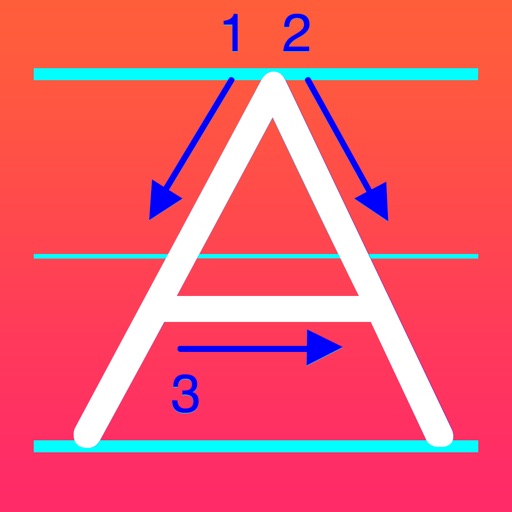
The app helps students learn handwriting skills through a customizable tracing system. It provides guidance on letter formation and allows users to track progress with reports and profiles.
Teaches children to draw with 27 colors and 8 pen types. Allows continuation of previous drawings. Includes calming music. Focuses on fine motor skill development and creativity. No ads or third-party data collection. Parents can monitor safe usage.
Create 3D models by combining and adjusting properties of 3D primitives. Paint models with custom materials or choose from material presets. Use the Properties Editor, Material Previewer, and Parts List for detailed editing.
Look up Chinese characters by single or multiple entries to view different calligraphy styles and master attributions. Access calligrapher details and bookmark favorite works. Practice writing by selecting characters and tracing strokes.
By allows users to select and images based on numbered sections. Features include choosing from floral, mandala, and animal designs, following numbered guides to fill in colors, and completing artwork.
And drawing with printable pictures and blank pages for custom artwork. Features include zoom functionality, video replay, and realistic tools. Users can create and share their own drawings.
Color pictures with realistic painting tools and save custom creations. Access a variety of pre-drawn images for . Draw freely on a blank canvas with zoom functionality. Watch video tutorials for drawing techniques. Share completed artwork.
Play through five different modes including dress-up, makeup, nail art, and a music . Customize outfits and accessories. Learn skills like dancing and painting. Complete challenges to improve appearance and unlock new content.