Design RC beams with step-by-step calculations and detailed results. Input dimensions and material properties. Select ACI 318 code standards in US or metric units. Save and export design reports.
by Jutarus Ratanasethakul★ 1.02 ratingsProductivity$4.99Data updated 2026-09-08
Calculate RMD amounts based on account balance and age. Input user details to determine annual distribution requirements. Provide guidance on RMD calculations for retirement accounts.
Calculate angles for cross braces and table x bracing. Input width, height, and board dimensions. Choose board orientation. Display angles for board ends and intersections. Support imperial and metric units. Provide board length requirements.
Calculate and edit expressions with a -like interface. Add comments and corrections instantly. Share results or save calculations as notes. Supports multi-line input and basic arithmetic operations.
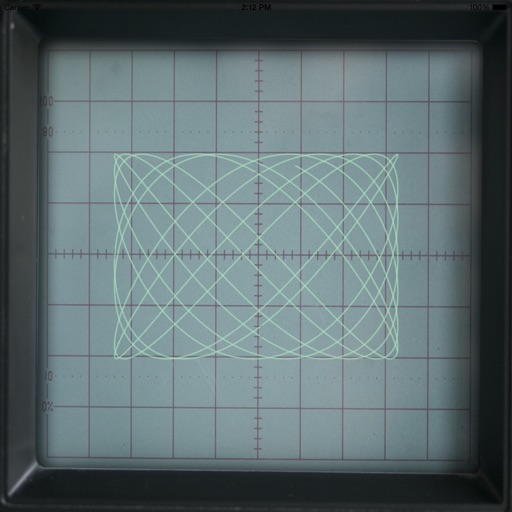
The app generates Lissajous curves by combining horizontal and vertical electron beam motion. Users can tap the screen for a spirograph-like representation and adjust parameters like amplitude, frequency, and phase difference to alter the curve.
Allows users to measure and calculate dimensions using feet, inches, and sixteenths. Input tape measure data directly for accurate conversions. Calculate angles and verify corners without manual calculations.
APE enables users to evaluate equations in ultrafast and nonlinear laser . It calculates Sum Frequency Generation, Difference Frequency Generation, optical parametric oscillator parameters, and coherent anti-Stokes Raman scattering values.
Calculate minimum internal based on rate and maximum pressure loss. Input elevation changes and select valves and fittings. Display Reynolds number and friction factor. Export results in various formats.
Calculator with sequential processing capabilities.
The app offers hexadecimal calculations and supports metric prefixes. It includes features like a moving view for typing errors and variable font size for readability.
Create plots for film, theater, and events. Choose from a wide range of equipment. Arrange and adjust fixtures on a grid. Export designs for sharing or printing. Sync with Apple devices for seamless workflow.
Plan projects by calculating required wood quantities. Input project dimensions and board sizes to generate precise material lists. Estimate waste and optimize cuts to reduce lumber purchases. Export lists for easy reference and sharing.
Helps estimate materials for various shapes. Users input dimensions to calculate volume and quantity. Features include slab, column, and post calculations. Saves results for future reference.