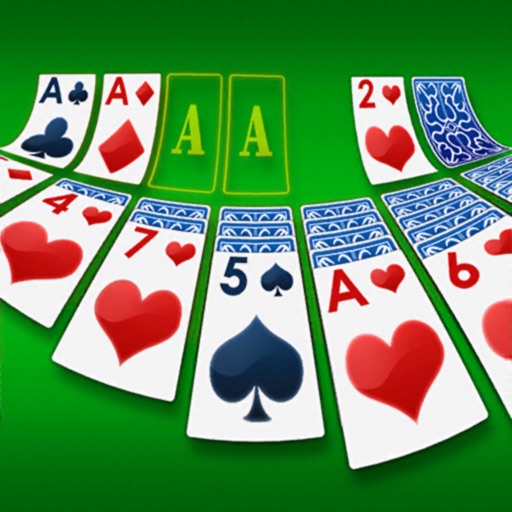
Play by dropping cards on top of others to create runs. Challenge 1, 2, or 3 players or chat online with another player. Rearrange cards on the table as needed. Touch instructions provide guidance.
by Daniel Rossler★ 3.140 ratingsGamesFreeData updated 2026-09-08
The app offers classic rummy-style gameplay with multiple modes like Knock and No-Knock. Players can earn rewards, compete in tournaments, and play with friends.
Sort colorful into the correct positions by dragging and dropping them. Challenge yourself with increasing difficulty levels. Track progress and complete puzzles to unlock new levels.
Play Pro by matching cards that are one higher or lower than the current card. Use wild cards to bypass difficult moves. Clear the course before the deck runs out. Remove cards from the top line for bonus points. Track progress and replay rounds.
Play with a beautiful interface and intuitive controls. Tap or drag to move cards. Choose from easy, hard, or Vegas-style game modes. Use hint and undo features as needed. Track progress and replay games.
Play tile-based games like Rummycube, Okey 101, and Canasta. Challenge opponents in multiplayer mode. Manage tiles to form valid combinations. Track scores and progress across multiple games. Customize game settings and rules.
Play classic Klondike with customizable card and table designs. Track game statistics and use hints or undo features. Auto-complete moves and enjoy HD graphics on tablets.
The app offers a large collection of solitaire and traditional card games. It features a smooth 3D presentation with an elegant drag-drop interface, custom table and card back installations, and automatic game saving.
Play with drag-and-drop blocks. Match rows, columns, or 3x3 squares of 9 to collect star blocks in challenge mode. Earn points in high score mode. Track progress and compete with others.
Play 101 against other users or with friends. Join games via online friends or chat with players. Play as a guest without Facebook login. Earn chips by downloading and logging in.
Play in a Row by dropping tokens into a grid to connect in a row. Challenge Game Center friends or random opponents in turn-based multiplayer. Support single-player and two-player modes.
Play Gin with four variants: Classic, Oklahoma, Straight, and Hollywood. Sort or arrange cards during gameplay. Adjust difficulty against AI opponents. Customize decks and table backgrounds. Track progress with built-in stats.
Play with another player on one device or online. Move pieces manually or use touch controls. Challenge random players with similar skill levels. Save game progress and review moves.
Play Solitaire by arranging cards in descending order within matching suits. Tap to move cards, undo moves unlimited times, and auto-save progress. Track statistics and benefit from easy-to-read cards and intuitive gameplay.
Play by drawing and discarding cards to form valid combinations. Challenge opponents online or against the computer. Learn rules via a tutorial video. Track scores and progress through in-game menus. Share high scores and compete with others.
Play with ad-free gameplay and classic card layout. Shuffle cards using the same algorithm as Windows . Enjoy modern graphics and Retina display support for and Pro. Track game progress and replay previous hands.
Play strategy card with bird-themed cards. Collect and combine birds to build habitat chains. Manage three habitats to attract rare species. Track bird combinations and network growth. Compete against other players for top birds.
The app offers single-player games against AI opponents with adjustable difficulty. It also provides online multiplayer and peer-to-peer options for playing against friends or other users.
Play by solving combinations to complete levels. Draw three cards from the deck, match them with open cards, and move selected cards by double tapping. Track progress and strategize to win each game.
Play card game with single deck, arrange cards in descending order. Move cards between tableau piles. Clear foundations by suit. Enable extra-large card symbols for better visibility. Save game progress.