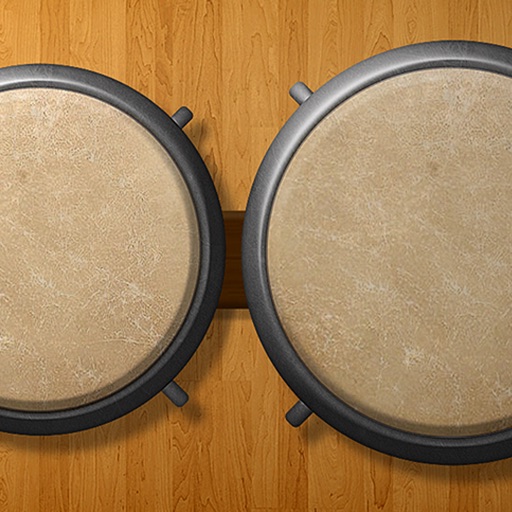
Play , quintos, tumba, requinto, super tumba, or bongos with adjustable drum configurations. Access 27 unique pocket beats and loops. Use metronome with 18 different sounds. Play solo or with 16 pre-set bass, hi-hat, or snare loops.
by Drum Starz★ 4.4154 ratingsMusicFreeData updated 2026-09-08
Create sequences by tapping on sound samples like Snare, Hi-Hat, and Clap. Adjust tempo (bpm) to control speed. Build sound patterns by arranging samples in a grid. Save and export created sequences.
Create and arrange melodies, bass lines, and drum beats by moving dots on the screen. Switch chords and patterns instantly. Apply delay and reverb effects to instruments. Tap or drag to build sequences. Sync with AirPlay for playback.
Synthesized electronic drum loops that sound alive.
The app creates synthesized electronic drum loops with eight voices and a step sequencer. It offers a randomizer for instant sound mutation and snapshots for sound exploration.
The app offers a landscape drum pad experience with real drum sounds and a metronome. Users can play drums, jam over sample loops, and record performances for sharing.
Create beats by tapping pads and using sound packs. Record and loop beats. Access preset libraries for various sounds. Export tracks for sharing or further editing.
Create beats using professional studio samples and preset kits. Record and share beats with friends or the community via social media. Access tutorials and videos to learn production. Apply effects to enhance beats.
Measure heart rate and music beats with precision to the first decimal. Record BPM values with notes. Use a metronome to count beats per minute. Sync data for tracking and analysis.
Offers a professional with multiple views and high precision. Access guitar lessons, gear reviews, and theory via YouTube integration. Use a flexible and drum machine for practice. Find interactive chords and scales with visual guidance.
Play using 18 high-quality, professionally recorded samples. Add cowbell and sticks for additional percussion. Adjust sound settings for optimal playback on iPhone or iPad. Perform with low latency for precise timing.
Create and edit music using waveform drum pads and beat-making tools. and files from your library or Dropbox. Remix and compose tracks. Share creations and kits with the community. Export and send files via email.
Drum rhythms from popular songs and genres. Select from 1000s of drum patterns and add fills. Progress through structured courses to improve skills. Receive instant feedback while playing and record custom drum grooves.
Learn and play rhythms with visual and audio guides. Select individual instruments, adjust tempo, and use a built-in metronome. Access a collection of African and African-influenced drum patterns. Sync with other instruments for group playing.
Develop through flash cards and exercises. Practice recognizing and playing rhythmic patterns at various tempos. Sessions progress from beginner to advanced levels across simple, complex, and irregular time signatures.
Adjust tracks by changing , pitch, or both. Create custom loops with precise control. Separate vocals from instruments for clean practice or remix material. Export modified tracks directly.
Create drum sounds and synthesize vocals using a 24-part sound engine. Use a pattern sequencer to arrange beats. Apply effects including a Phrase Vocoder that converts text to vocal-like sounds. Adjust vocal characteristics such as gender.