Displays local, Julian, and Universal alongside Sidereal based on device location. Features a night-vision friendly red display and pop-up descriptions for explanations.
by John Kennedy★ 4.217 ratingsReferenceFreeData updated 2026-09-08
Explore celestial bodies with real-time sky mapping and interactive guides. Identify stars, planets, and constellations. Access detailed information about over 200,000 objects. 3D models of celestial entities.
View celestial objects using augmented reality. Point device at sky to identify stars, planets, and constellations. Access detailed information and historical data. Sync with GPS for accurate positioning. Explore 3D models of celestial bodies.
Stars and constellations with real-time sky maps. Locate celestial objects and track their movement. Identify planets and bright stars. Set location and time for accurate sky views. Save favorite stars and constellations for future reference.
The app identifies and locates celestial objects by pointing to the sky. It displays the sky view and information at the correct orientation when held at any angle.
Determine direction using a digital . Display azimuth at the top of the screen. Navigate while hiking or traveling. Indicate north, south, east, and west. Show magnetic field orientation.
Explore celestial objects like planets, moons, asteroids, and stars. View detailed information about each object. Track their positions and movements over time. Learn about constellations and their changes throughout the year.
Access the full text of the Old and New Testament. Read daily passages and reflections. View the Calendar of feasts and fasts. Track personal spiritual journey with prayer notes and reading logs. Share verses and reflections with others.
Access celestial objects with a comprehensive database of comets, asteroids, and solar system bodies. Plan and log observations, control telescopes, and track accurate positions. View detailed sky maps and receive real-time updates.
Identify stars, planets, and constellations using real-time sky maps. Point device to locate celestial objects. View satellite passes and track planetary movements. Receive detailed information on selected objects.
The app converts dates between the Julian day of the year and the Gregorian calendar. It offers a monthly view for quick reference and includes widgets for the Home and Lock Screens.
View daily with tithi, paksha, yoga, karana, nakshatra, vaar, varsh, maah, moon zodiac, ayana, and ritu. Generate kundali for any location and date in North and South Indian styles. Save and share kundali details. All features work offline.
View coordinates for celestial bodies including planets, the Moon, the Sun, stars, and deep sky objects. Check if objects are above the horizon with a green icon. Click to access detailed information.
Track the International Space Station and Starlink using real-time data. Input your location to find optimal viewing times. Set reminders for launches and visibility events. View satellite routes on a live map. Share sighting details with others.
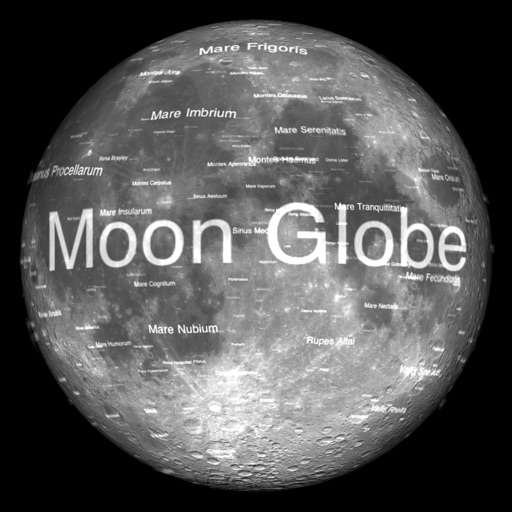
The app renders the Moon in realtime 3D using satellite imagery and topographic data. Users can manipulate the view, adjust sunlight, and see labeled terrain features and spacecraft.
View current and future phases, moonrise, and moonset times. Track Full , New , and Eclipse events. Explore data, illumination, distance, and Zodiac signs for any date. Display real-time 3D renderings with Liquid Glass design.
Identify stars, constellations, and satellites by pointing device at the sky. View detailed information about celestial objects. Access additional content through in- purchases. Sync with Apple Watch for notifications.
Track celestial objects by pointing the device at the sky. Identify stars, constellations, and deep sky objects in real time. Adjust settings for location and time. Save and share observations. View detailed information about celestial bodies.
Helps users find Polaris or Sigma Octantis for polar alignment. It displays current direction, elevation, latitude, longitude, and altitude. Users can check alignment status and adjust setup accordingly.