Perform complex calculations with parentheses, exponents, and multiple operations. Solve equations, convert units, and use scientific functions. Save and recall previous calculations. Share results via copy-paste or email.
by Koombea, Inc.★ 4.219 ratingsUtilitiesFreeData updated 2026-09-08
SFX- performs basic arithmetic operations and allows calculations with a fixed constant. It includes non-volatile and volatile memory storage. It supports fraction and percentage calculations, linear regression, and statistical functions.
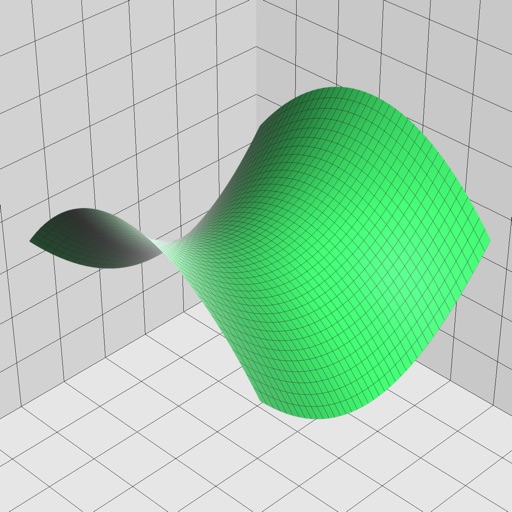
Enter and edit equations in mathematical notation. Visualize 2D and 3D graphs of explicit, implicit, and inequality equations. Adjust settings for display and analysis. Save and share calculations.
Perform calculations for wood projects. Input measurements and materials. Estimate costs and quantities. Save and share project notes. Convert units and access formulas.
Allows users to perform basic and advanced arithmetic, including equations with parentheses and percentages. It features color-coded parentheses, a dual-display showing the equation and result, and a history log with copy and share options.
Convert units across 19 categories including acceleration, angle, area, cooking, data storage, density, and energy. Switch between 150+ currencies. Perform calculations for conversions and exchanges. Share results via copy or email.
Calculate concentration with molarity and dilution formulas. Input known values like moles, volume, or molarity to solve for the unknown. Perform dilution calculations and verify results instantly.
Convert units and currencies across hundreds of categories with real-time exchange rates updated every 6 hours. Calculate mortgages, loans, tips, and fuel consumption. Edit, create, or download customizable templates for various conversions.
Calculate with personalized themes and scientific tools
Perform calculations with a scientific for advanced math. Customize themes and colors. Use split-screen mode for multitasking. Record calculation steps automatically. View historical records for data retrieval.
Calculate power, current, and voltage in electrical circuits. Input values to determine unknown quantities. Convert between units. Store frequently used calculations. Share results via email or copy-paste.
The app provides multiple calculators in one. It includes scientific, algebraic, and logic functions with conversion tools for various units and memory registers.
Solve math problems from elementary to calculus and statistics. Graph functions, perform algebraic manipulations, and calculate statistical values. Export results and share solutions.
Perform complex calculations using RPN and CAS. Run custom programs and modules. Print or plot results via thermal printer. Import/export data in various formats. Access keyboard overlays and iOS features for enhanced functionality.
Calculate , base material, and sealcoat quantities for paving projects. Input dimensions in various units and receive results in tons, cubic yards, or cubic meters. Estimate material costs based on input measurements.
Calculate driving , flight , and fuel costs between locations. View travel time and elevation data. Convert results to miles, kilometers, meters, or feet. Find coordinates in DMS or decimal format. Display road maps for routes.
Allows users to perform improvement calculations and unit conversions. It includes 440 calculations for hours, cost estimates, and takeoff quantities. Users can save and email results. Inputs and outputs are available in decimals or fractions.
Record calculations, customize prompts, simplify math
Perform calculations with a simplified interface and faster performance. Record and search calculation history. Customize prompt sounds and choose from multiple themes. Designed for use on iPad.
Offers seven-in-one functions including basic, scientific, and unit conversion tools for currency, distance, weight, time, and data. Switch between modes by rotating the device. View operation history on the screen. Use degree or radian settings.
Convert units across 16 categories with instant results. Switch between metric, imperial, and other systems. Calculate conversions for length, weight, temperature, and more. Store frequently used values for quick access.
Perform basic calculations with a standard interface. Optimized for iPad and iOS 9 with high-resolution display support. Includes a charming piano sound for input. No popups or ads.
Calculate arc dimensions including radius, length, width, height, apothem, angle, and area. Input any two values to derive the rest. Useful for carpenters, architects, and engineers. Supports complex mathematical calculations.