Create sound patches by entering strings of up to 20 letters. Each letter sets sound engine states as moving particles. Particles change when they collide. Adjust gravity using accelerometers. Tap particles to alter motion.
by Joshua Parmenter★ 3.03 ratingsMusicFreeData updated 2026-09-08
Create and manipulate sound using FM synthesis and waveshaping techniques. Adjust oscillator parameters, filter settings, and envelope shapes. Save and load presets. Integrate with Logic Pro, GarageBand, and other AUv3 compatible hosts.
Create and manipulate audio using up to 10 band pass filters displayed as . Adjust resonance, delay time, and feedback per band. Modify cutoff frequency and resonance across bands for custom sound effects.
Create and shape sounds by drawing waveforms or modifying built-in ones. Mix with analog and sub oscillators. Automate knobs using 2 LFOs and 2 ENVs. Design and morph 2 wavetables for dynamic sound creation.
Create and customize sounds using FM synthesis technology. Adjust parameters to shape tones and effects. Play back and record synthesized music. Export audio files for use in other applications.
Control MIDI and OSC messages using multi-touch and motion gestures. Assign gestures to trigger specific outputs. Customize interfaces without sliders or buttons. Integrate with synthesizers and other MIDI/OSC software.
Create and play music by drawing shapes and triggering sounds. View visual feedback as music plays. Access 88 instruments organized into 22 groups. Use in- purchases for full features. Sync with Apple Health.
The app simulates a laser harp with adjustable laser angles, colors, and note scales. It offers 16 stereo sounds, including those from Second Rendez-Vous Part III, and MIDI output for controlling notes and expression with compatible devices.
Control on-screen motion by touching and dragging to create fluid movement. Interact with glowing particles and light effects. Play mini-games for a calming experience. Adjust settings for personalized relaxation.
Create and manipulate sound using a modular synthesizer with patching capabilities. Add or remove up to 100 modules including oscillators, envelope generators, and filters. Learn synthesis concepts through interactive module configuration.
Teach children to connect letters with sounds and sound out simple words. Includes twelve new scenes and over 50 words. Helps with spelling through interactive exercises. Parents and educators can track progress and reinforce learning at home.
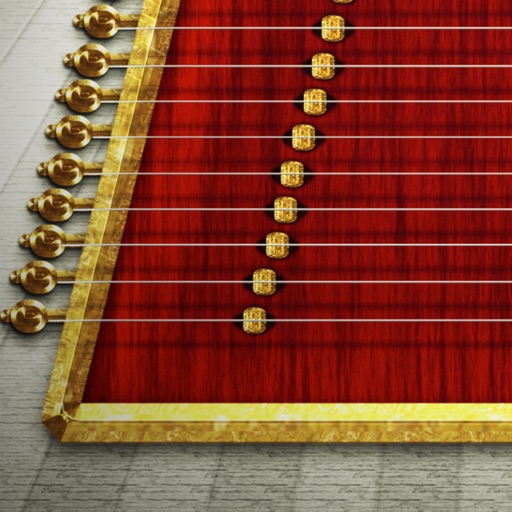
Play the by touching individual strings to produce notes and sliding horizontally for a vibrate effect. Adjust the vibrate intensity by sliding fingers to the edge. Semitone playback is also available.
Turn your iPhone into a percussion instrument by shaking it. Choose from four sounds: Egg, , Tambourine, and Bells. Swipe to switch instruments. The uses a gyroscope to map movement and adjust audio based on shaking intensity.
Record and playback performances customizable signal types and channel selection. Include FM sounds and an on-screen keyboard for note-taking. Save files as Standard Format without subscription.
Create and manipulate sound using a variety of oscillator types including analog, FM, additive, and physical modeling. Adjust waveform shapes, filter settings, and modulation parameters. Play in monophonic or 8-voice polyphonic mode.