Explore and interact with 3D shapes on a screen. Choose from various 3D shapes and create unlimited combinations. Add or remove shapes with a single tap. Rotate, zoom, and swipe to navigate 3D models.
by Paul Hangas★ 4.545 ratingsEducationFreeData updated 2026-09-08
Play puzzle games with two modes: rotate colorful circles to reveal hidden images or slide and swap tiles to uncover pictures. Solve puzzles without time limits or stress. Track progress and revisit completed puzzles. Share achievements with friends.
Learn with 28 letters and 200 words. Practice pronunciation, write letters, and recognize words with letters in different positions. Complete puzzles, learn numbers, clock, colors, and shapes. Practice writing and dictation exercises.
Create collages by arranging multiple photos in predefined shapes. Choose from 100+ categories including hearts, animals, and flowers. Automatically place photos within selected shapes. Export finished collages.
Edit by merging multiple clips, rearranging, and removing sections. Add multiple text messages with animation, custom fonts, and styling options including stroke, shadow, and background. Export final edits.
Teaches early literacy and numeracy through interactive . Includes alphabet recognition, number counting, and basic shapes. Features storytelling and memory exercises. Allows parents to track progress and set learning goals.
Create avatars by customizing features and selecting outfits. dolls in various costumes and accessories. Apply makeup and hairstyles. Save and share created characters. Explore fashion trends and design unique anime-style characters.
Create and animate bouncy blobs on images to make them . Export videos in UHD format. Choose custom shapes and sizes. Adjust animation loops and set resolution. Use 3D mode and zoom for precise edits. Share animated images and videos.
Play a shooting game with animated graphics and underwater effects. Choose from four skins. Compete on leaderboards and earn achievements. Use accelerometer for aiming. Collect bonus bubbles and shapes for combo rewards.
Draw and color images with interactive tools. Choose from various templates and colors. Save completed drawings. Receive positive feedback and encouragement. Learn shapes and colors through playful activities.
Solve by dragging and dropping pieces to fill shapes. Play in classic or rotate mode. Access over 3000 unique shapes. Avoid overlapping pieces to complete each puzzle.
Rotate and match shapes to create obstacle-free paths. Collect keys to unlock characters with unique abilities. Compete on a game center leaderboard to achieve high scores. Track progress and compare scores with friends.
Create colorful iMindMaps to tell stories and express thoughts. Add text, images, and shapes to develop ideas. Save and share maps with teachers and family members. Encourage literacy and creative thinking through visual learning.
Teaches children to recognize and letters, numbers, and shapes. Includes phonics sounds and animal examples. Features uppercase and lowercase letters, colorful visuals, and interactive writing exercises with line drawing effects.
Create evolving shapes and color fields by touching and shaking the screen. Explore color noise, liquid merging, and spastic color bars. Capture screenshots of generated artwork.
Teaches children to recognize shapes, colors, and sizes through interactive . Includes static and moving objects to improve coordination and fine motor skills. Allows users to select and manipulate objects, match shapes, and identify colors.
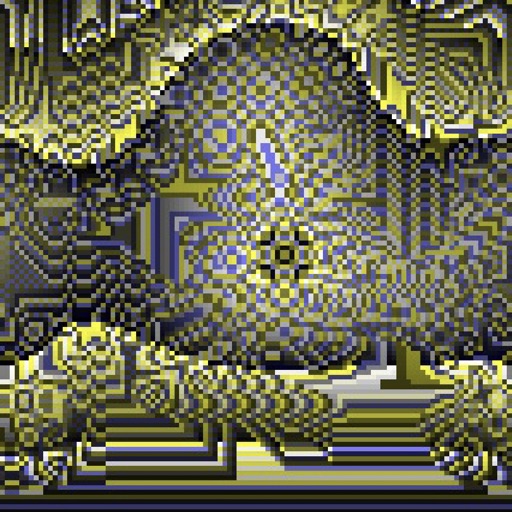
Create fractal art using mathematical equations. Generate intricate patterns with customizable parameters. Adjust color, scale, and iterations. Save and export designs in various formats. Share creations directly from the .