Explore and interact with 3D shapes on a screen. Choose from various 3D shapes and create unlimited combinations. Add or remove shapes with a single tap. Rotate, zoom, and swipe to navigate 3D models.
by Paul Hangas★ 4.545 ratingsEducationFreeData updated 2026-09-08
Watch 3D animated videos featuring Johny and Friends to learn numbers, shapes, and colors. Tap to interact with characters and repeat songs. Access a library of and educational songs. Share favorite videos with family members.
Create and decorate cookies by rolling dough, cutting shapes with stencils, and them. Customize men with various decorations and colors. Share creations with friends or save them for later.
Create and combine elements to build unique items. Drag and drop objects to new creations. Explore an encyclopedia with fun facts about your designs. Discover new items through unexpected combinations.
Play by dragging block shapes onto the board. flows and settles under gravity, requiring strategic placement. Adjust formations to clear levels. Tap to reset blocks and retry. Track progress through level completion.
Paper to figures with step-by-step instructions and illustrations. Choose from five categories including miscellaneous shapes. Follow detailed guides to assemble figures. Develop fine motor skills through folding activities.
Merge multiple photos into a single artwork by selecting and combining image sections. Remove or re-add parts using finger painting techniques. Adjust brush settings for precision.
Create 3D models by coloring numbered blocks. Rotate, scale, and zoom to adjust your model. Paint highlighted boxes with selected colors. Save and share completed designs.
Learn numbers, colors, and shapes through interactive . Recognize sizes, forms, and basic patterns. Improve logic, memory, and motor skills with playful activities. Explore animals, vehicles, and everyday objects.
The app presents the alphabet through four engaging puzzle games. It helps children learn letter shapes, names, and matching skills with animated animals and colorful designs.
Color by lets users select from various artistic images and follow numbered instructions to fill in diamonds. Customize shapes and choose from regularly updated, family-friendly designs.
Create pizzas by selecting shapes, sauces, and toppings. Add cheese, dough, and new ingredients. Customize designs with interactive animations. Play without ads and unlock all items freely.
Teaches sorting and comparison through interactive mini-games. Features colorful object matching and simple touch-based sorting. Includes age-appropriate challenges to develop early skills. Encourages repeated play with progressively complex tasks.
By following step-by-step instructions for creating various shapes like boxes, flowers, and stars. Access detailed diagrams and high-quality photos of finished designs. Navigate a clean, easy-to-use interface for folding activities.
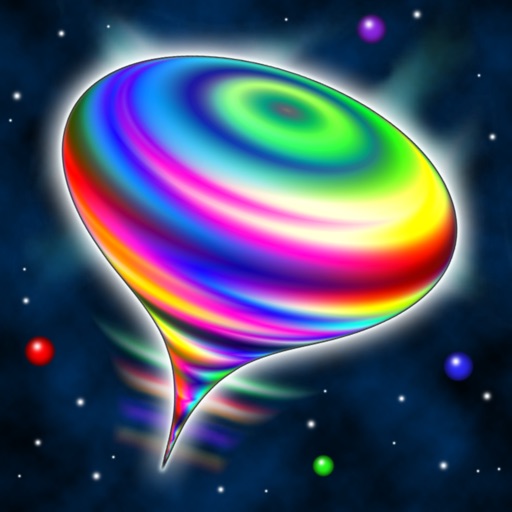
Simulates a spinning, wobbling top with 3D audiovisual effects. Users can swipe to spin, pinch to zoom, and hold to brake. The top changes colors and emits sci-fi sounds in stereo. It floats among stars and morphs into unlimited shapes.
Edit photos by selecting from Camera Roll or taking new shots. Apply real-time effects to create prism-like glass pieces. Adjust frames, shapes, and patterns. Rotate, resize, and drag elements for custom designs. Export and share edited images.
Create animations, build 3D worlds, and draw shapes. Add characters, customize costumes, and design environments. Share projects as movies, flipbooks, or 3D prints. Explore worlds using walk mode and interact with objects.
Create and combine emojis by merging different expressions. Customize designs with various elements. Share created stickers with others. Explore endless combinations for creative expression.