The app allows users to draw sound spectra and play them simultaneously. It offers WAV export, eight timbres, and adjustable octaves from two to eight.
by Alexander Zolotov★ 4.410 ratingsMusic$0.99Data updated 2026-09-22
Allow users to fill in pictures with various colors. Drawing let users create their own artwork. A scribble pad provides a space for freehand drawing. Sticker lets users add stickers to images.
Edit files and record from the microphone. Import various formats like MP3, WAV, and AIFF. Extract from videos or the web. Save in multiple formats including ringtone options. Adjust sound quality and settings for improved output.
Analyze frequencies with a real-time display. Adjust and visualize sound levels across different frequency ranges. Export analysis data and compare signals for accuracy. Calibrate equipment for optimal performance.
Simulate the ANS synthesizer by drawing spectrograms to create music. Adjust parameters like pitch, amplitude, and envelope. Play back compositions and export audio files. Learn about the history and unique capabilities of the ANS instrument.
Create and manipulate sounds using a 16-voice polyphonic . Visualize and navigate sound design through X, Y, and Z axes. Adjust wavetables and vectors for dynamic sound shaping. Save and recall presets for custom sound configurations.
Create and perform music with audio and MIDI recording. Use performance tools like repeat, roll, swing, and scale-based chord generation. Edit tracks, arrange sequences, and export final mixes. Sync with external hardware and software instruments.
Create evolving melodies and patterns using polyrhythms. nd control up to 8 sounds simultaneously. Store 16 project configurations. Use a sampler with envelopes, filters, loop crossfading, LFO, and more.
Create and save multi-track music projects on iPad, iPhone, or Mac. Record and import audio tracks, browse samples with previews, apply effects, and use high-quality synthesizers and drum kits. Edit, mix, and render complete songs.
Detect sounds, record audio, create eerie atmospheres
Use device sensors to simulate -hunting experiences. Listen to sound wave data for eerie effects. Access magnetometer readings for box measurements. Record and share spooky video clips with built-in editing tools.
Allows users to process their into various effects. Apply vocoder, auto pitch, and harmonizing pitch shift. Adjust speed and sample sounds. Create robotic, animal, or comedic voices. Play musical instruments by without physical input.
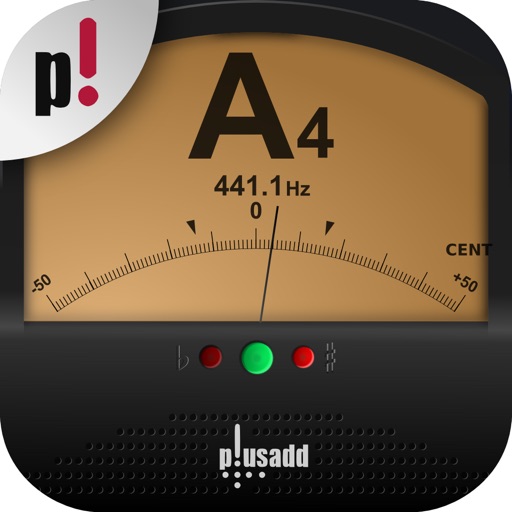
Allows users to tune instruments using the device's microphone. It supports custom temperaments and transposition. Features include solfège notation, adjustable calibration, and a spectrum power indicator for sound visualization.
Real-time with customizable effects and export options. Users can import from playlists or files, select from four visual packages with eight visuals each, and adjust settings for each visual. Export visuals and share on social media.
Create mandala paintings using vector-based tools. Zoom smoothly for precise details. Choose from various colors and brush styles. Save and share drawings directly. Adjust layer settings for customization.
Create deep, customizable sounds with adjustable waveform and filter settings. Use as a standalone or plugin. Run multiple instances for layered sound design. Adjust sub- frequency and resonance for precise tone control.