Edit photos with color filters, light effects, and frame borders. Apply effects like Instafit and Orton. Add film grain and adjust contrast, brightness, and saturation. Include text with 30+ fonts. Share edited images to social networks.
Edit photos by applying textured overlays and effects. Choose from a variety of artistic filters and textures. Save and share edited images directly. View user-generated examples on Instagram.
Correct underwater photos and videos by adjusting color tones with a single tap. Transform dull blue-green hues into natural, vivid colors. No account needed. Access example media in the help section.
On with precise tools. Add text, shapes, and stickers. Insert layers and blend images. Create collages with frames and stamps. Design custom stickers and share directly via iMessage or the .
Explore paint colors with a virtual fan deck featuring Preview®, Classics®, Affinity®, and historical collections. Use the photo visualizer to apply colors to room photos by tapping surfaces for instant masking. Save and share swatches and images.
Take black and white photos with live preview. Use colored lens filters and professional conversion settings. Adjust contrast, brightness, and exposure in real time. Add film grain and black vignetting. Export images to social media and email.
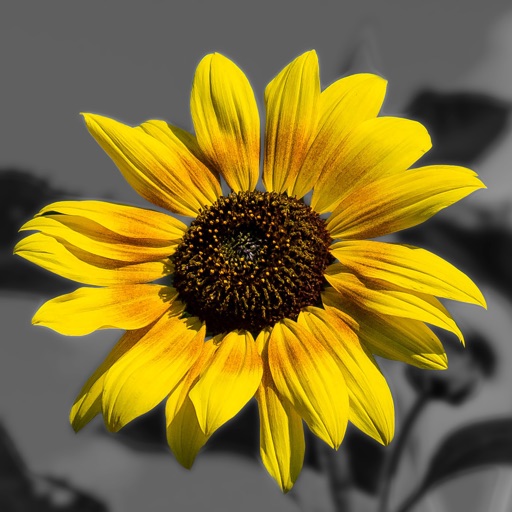
Convert photos to black and white, sepia, or mono formats. Apply splashes to specific areas using touch. Adjust effects like hue, saturation, and contrast. Add photo filters for enhanced visuals. Export edited images in various formats.
With Hi-Def, Scenery, Food, Portrait, and Night modes. Apply over 100 free and purchasable filters. Add stickers, frames, and overlays. Remove red eye and blemishes. Whiten teeth and adjust color with Splash. Enhance sharpness and draw or add text.
Edit photos with AI muscle enhancement, retouching, and makeup filters. Adjust shape, add height or muscles, and change hairstyles. Swap faces using AI, remove objects, and apply beauty enhancements. Export and share edited images directly.
Convert photos to black and white drawings for . Import photos from device or camera. Add colors using painting tools. Create drawings on blank canvas. Premium version offers more paint colors, opacity control, and outline editing. Removes ads.
Convert black and white images to using selective recoloring. Select photos from the gallery or capture new ones. Pan and zoom for precise editing. Resize and fit images to the screen. Use redo and undo features for error correction.
Convert videos into Photos or GIFs with trimming, backward playback, reverse, and speed control. Share Photos via iMessage, Facebook Messenger, Twitter, Instagram, and WhatsApp. Adjust timing and effects for custom animations.
The app offers tools to enhance photos, remove blemishes, and apply various effects. Users can combine photos into collages, add stickers and frames, and adjust image properties like brightness and contrast.
Convert photos to pencil sketches with adjustable effects including ink, outline, stony, charcoal, and cartoon styles. Support black and white and color pencil painting. Apply stylization, high contrast, and other advanced editing tools.
Record with a pause button to stop and restart recording. Trim and cut videos using the built-in editor. Apply filters like black and white, sepia, or hipster. Save videos in 4K format.
Edit photos by converting them to and and selectively adding with brush tools. Choose from various brush sizes and styles. Apply filters for creative effects. Undo changes with a single tap.
Take black and white photos with live preview. Use colored lens filters and professional conversion filters. Adjust contrast, brightness, and exposure in real time. Add film grain and black vignetting.