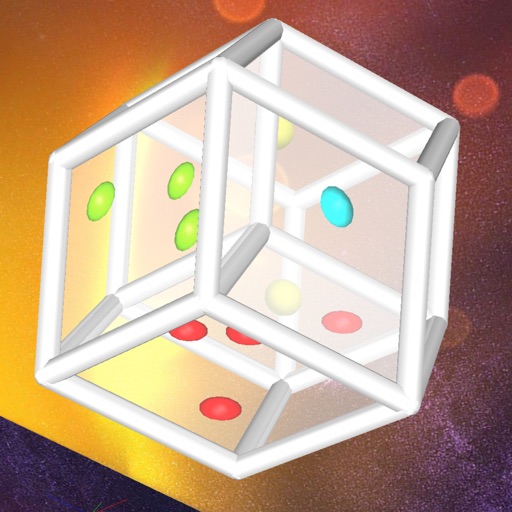
Explore 4D hypercube faces with multitouch controls
Explore a 4-dimensional hypercube with multitouch controls. View up to four cube-shaped faces at once. Rotate and roll the die to reveal different faces. Interactively navigate the 4D structure to see hidden faces.
by Andrew Hanson★ 5.03 ratingsEducationFreeData updated 2026-09-08
Edit photos by swapping faces into scenes and posters. Search for movies or TV to find swap-ready images. Adjust facial features for seamless integration. Save and share edited results directly.
Solve puzzles by analyzing 3D shapes from front, side, and top views. Rotate and manipulate objects to match projections. Track progress and complete levels with increasing difficulty.
Create using facial expressions. Capture and edit selfies to generate stickers. Add text or artwork to enhance designs. Share via iMessage and social media. Upgrade to Emoji Pro for advanced editing features.
Create GIFs by swapping faces in videos with lip-synced audio and background music. Choose from a large GIF library or upload your own. Add animated stickers and customize with voice, music, and text.
Allows users to create animated eCards by swapping their faces with cartoon characters. Users can animate scenes in real-time, share the result, and customize the animation with friends' faces.
Explore 3D models of rocks, minerals, mammals, reptiles, lifecycles, and cells. Upload, view, and share custom 3D objects. Interact with models using a Cube and smartphone or tablet.
Send messages with GIFs by selecting from a library of expressions and reactions. Paste chosen GIFs into messages. Access recently used GIFs for quick replies. Share custom or popular animations in conversations.
Solve room puzzles set in Alberobello. Explore cone-shaped houses, uncover hidden mechanisms, and complete challenges. Use hints when needed. Auto-save progress. Swipe to interact with environment.
Explore interactive stories with animated characters and touch-based interactions. Navigate through illustrated scenes and uncover hidden details. Tap to reveal surprises and collect items. Share creations with friends via social media.
Cats into a box and them to create larger versions. Collect various cat breeds with unique sounds. Play a physics-based puzzle game with relaxing music. Avoid overflowing the box.
Select a from a list. Add names via voice, typing, or Google Sheets. Update, rename, or delete custom lists. Swipe to navigate through entries. No ads or extra features.
Create avatars by selecting body types and customizing facial features. Adjust facial contours and add decorations. Switch between different character designs. Export and share finished images.
Take a selfie and let the analyze your emotion using AI. Replace the background and apply style transfer filters based on detected mood. Save and share the edited photo directly.