The app allows users to create and save custom playlists from their iPod App. It includes features like fading between songs, spoken song numbers, and the ability to start songs from the middle.
by Emma Technologies, L.L.C.★ 1.531 ratingsMusicFreeData updated 2026-09-21
Control music and TV playback by adjusting volume, skipping songs, starting/stopping playback, and switching playlists or channels. Preview upcoming songs, view playlist history, and ban songs or artists.
View metadata like play count, last played time, and comments. Access album art and track information. Display without requiring an internet connection.
Play with DJ-style controls. Double-tap to start songs. Swipe to add or remove tracks from the playlist. Customize the main screen with a custom title. Automate voice-over announcements. Manage playlists and queue songs from a library.
Stream and videos without song limits. Search and play millions of songs and videos. Watch HD content in full screen. Browse categories and trends. Listen to songs seamlessly with continuous updates.
Listen to music, podcasts, and stories without unlocking the screen. Create and save personalized playlists. Receive song recommendations tailored to your preferences. Enjoy uninterrupted playback without ads.
Track performance across and Shazam. Create custom promotional assets for content. Share insights on social platforms. View fan reactions and play counts. Monitor milestones and top-performing songs and videos.
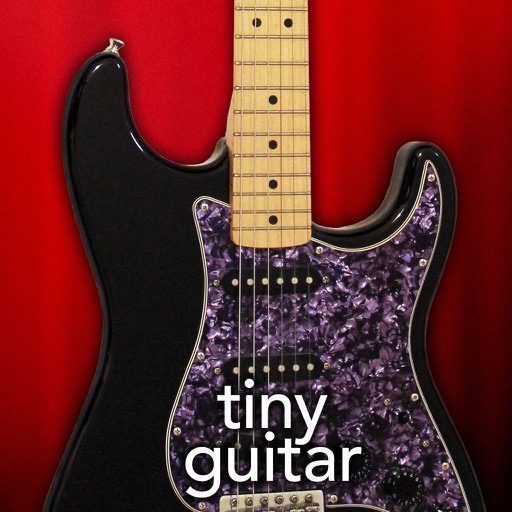
Play by tapping or strumming to trigger notes. Access over 200 songs and riffs, including popular tracks like Amazing Grace and Stairway to Heaven. Log progress, rate songs, and provide feedback via email.
Download and create playlists. Add songs, albums, artists to your library. Request and follow friends. Check new releases, top charts, and popular playlists. Filter by genres. Listen in shuffle mode. Set a sleep timer. Access lyrics. No ads.
Stream music with offline download capabilities and ad-free playback. Share songs and playlists. Follow artists for exclusive content. Post music-related updates. Connect with other users to discover new tracks.
Download MP3 songs from URLs via copy-paste. Organize tracks into playlists and favorites. Create custom playlists. Manage downloaded library. Play songs without internet.
Stream and organize with storage. Create custom playlists and sync across devices. Download MP3s for offline playback. Manage libraries and access songs from multiple sources.
Connect with lovers by saving and sharing songs and playlists from Spotify or Apple . Analyze preferences to find compatible communities. Comment on and engage with friends' . Save and interact with shared tracks and playlists.
Create and manage playlists to start a jukebox. Browse albums and select songs for playback. Play music from Spotify Premium or local device files. Share the playlist with others for collaborative song selection.
Create personalized playlists based on and activity. Connect Spotify, Tidal, and Qobuz to access favorite tracks. Discover new songs with intelligent recommendations. Organize and manage playlists within the .
The app provides access to over 8000 songs from around the world with high and HD quality videos. Users can search for songs by name or language and add them to selected or create custom playlists.
Listen to Trop Rock and Caribbean Country Music streams. Send shout-outs, request songs, access song facts, share songs, search for tracks, and rate songs. Stream music directly or download for offline playback.