A simple clock and count-up timer. Set and start timers for specific durations. Display current time and elapsed time. Stop and reset timers as needed.
by HUI CHI WING★ 0.00 ratingsUtilities$0.99Data updated 2026-09-06
Create custom sequences for workouts, tasks, or routines. Set intervals, durations, and rest periods. Pause, resume, or adjust timers on the fly. Track progress with visual feedback and repeat sessions as needed.
Remote control allows users to manage home appliances from anywhere. Simultaneously control multiple devices through a single interface. Set timers to automate various functions. Share devices with family members with a single tap.
Track counts with a digital . Add, subtract, or reset numbers. Save and share count data. Set custom labels for different items. Sync counts across devices.
Offers cuckoo sounds, , church bells, and Big Ben tones. It provides hourly time reports in multiple languages. Users can set custom times for sounds, record voice tips, and choose notification modes including text, sound, or both.
Track scores and game counts for players. Display names and current scores. Change player order and reset scores after each game. Includes a stopwatch. Supports both portrait and landscape orientations.
Track elapsed since events and milestones. View habit frequencies and set reminders. Visualize intervals with charts and graphs. Export data for analysis and planning.
Remote control allows users to manage home appliances from anywhere. Simultaneously control multiple devices through a single interface. Set timers for automated functions. Share devices with family members with one tap.
Manage multiple timers simultaneously and save custom timers with defined names and alarm sounds. Edit and reorder existing timers. Pause or resume timers and receive alerts. Access timers via widget or Apple Watch.
The app provides a timer for presentations with customizable bell timings. Users can set up to three bell alerts, and the timer's color changes when a bell rings.
Use a to manage time with focused work intervals and breaks. Switch between and work modes with separate timers. Track progress and adjust session lengths manually.
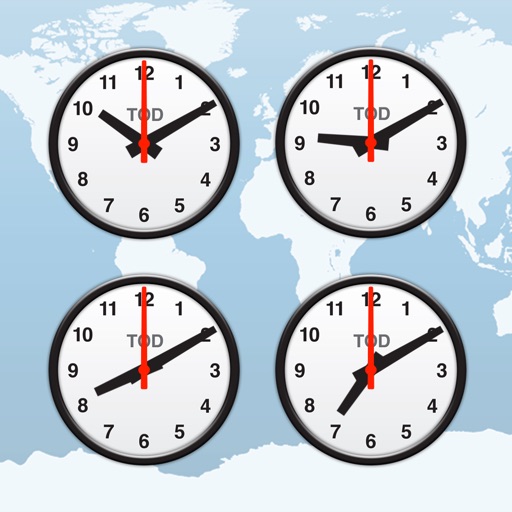
Display current in 5000+ cities worldwide. Convert zones and show differences. Set alarms for specific locations. Schedule meetings across different zones. Supports daylight saving adjustments.
Set work intervals and breaks with customizable durations. Track time spent on tasks and view session history. Receive notifications for upcoming breaks and session completion. Adjust mode settings and manage multiple timers simultaneously.
Count down to with days, hours, minutes, and seconds. Set multiple timers for different time units. Display on a notification widget. Share status with others.
A and with landscape mode support. measures time in milliseconds and tracks lap times. allows setting custom durations, saving multiple times, editing, and deleting saved times.
Track habits with three types: simple, counter, or timer. Customize colors and set resting days. Receive reminders and manage habits through done, skip, reset, archive, or delete. View progress visually and filter the habits list.
Control a robot vacuum cleaner remotely to schedule and start cleanings. View cleaning status, modes, and next session time. Select cleaning modes with two clicks and set timers for programmed cleanings.
Control clock settings, alarms, and radio presets for devices. Install firmware updates when available. Adjust device configurations through a centralized interface.
A helps track time remaining for tasks. Users can set custom durations, view progress bars, and receive alerts when time ends. Features include customization, progress visualization, and alert notifications.
Track time zones with a world clock displaying 64,000 cities. View interactive maps with customizable themes. Check moon phases and enable clock chimes. Use location tracking to update time based on current position.