Create drawings with customizable brush colors and sizes. Select from 60 color options for background and brush. Save or share artwork. Use random mode to change brush size or color automatically. Access 20 levels of undo.
by ATBOSH Media Ltd.★ 2.01 ratingsPhoto & VideoFreeData updated 2026-09-08
Upload photos to create custom patterns. Adjust scheme size and color count. Select fabric and floss brands. Control stitch type and advanced settings. Export patterns for embroidery.
Create palette reference images from photos. Select a photo from the library. Resize, reposition, and crop the photo into a square frame. palette automatically or pick colors manually. Change the layout using templates.
Offers and themed pages for drawing. Users can select from characters, animals, robots, and princesses. Features include easy navigation, saving progress, and exporting artwork. Suitable for all ages and interests in creative drawing.
Create drawings with realistic pencil, marker, and crayon tools. Choose from bright and soft color options. Use notebook-style pages for sketching, doodling, or coloring. Save and share drawings directly.
Pages allow users to create art with endless color options. Three brush sizes support fine motor skill development. No internet connection is needed for gameplay. Calming music enhances the experience. No third-party ads or data collection occurs.
Draw with a pen or apply colorful stamps. Tap to change background colors between white and black. Save drawings, erase, or retry. Play sounds when using stamps or drawing lines.
Choose colors and visualize them in your space using AI technology. Upload photos of rooms to see options in real-time. Adjust lighting and surfaces to match desired aesthetics. Save and compare palettes for interior and exterior designs.
Offers a full experience on Apple with over 200 images. Users can select colors, adjust brush size, and save progress. Features include mindfulness prompts and a timer for focused sessions. Share completed artwork via email or social media.
-by- pages based on verses. Select colors and apply them to illustrations. Include prayer prompts with each scene. Save and share completed artwork. Access scripture references and view detailed artwork credits.
Color and collect dinosaur illustrations with two modes: free and color by number. Use a colorful palette to create drawings. Learn about dinosaurs through educational content and receive new cards after each completed illustration.
Create still or animated drawings that flow and evolve. Use generative brushes for natural, responsive sketching. Design fluid artwork for backgrounds or sharing. Adjust brush settings for precise control. Export drawings in various formats.
Create art using realistic and watercolor effects. Draw with tools like marker, airbrush, crayon, and eraser. Apply fluid-based watercolor effects in the full version. Adjust colors and blend textures for detailed illustrations.
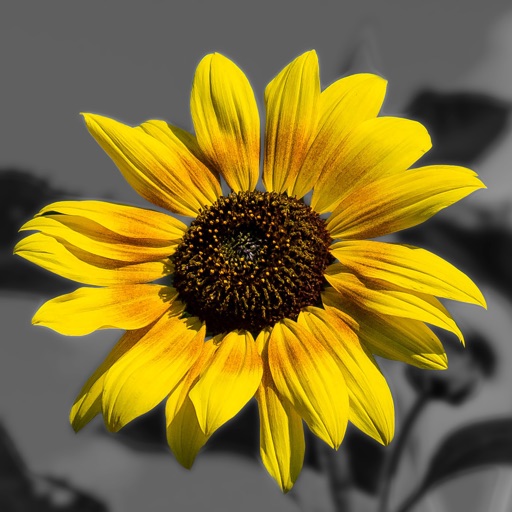
Edit photos by converting them to and and selectively adding with brush tools. Choose from various brush sizes and styles. Apply filters for creative effects. Undo changes with a single tap.
Edit images by on photos and adding text. Choose from 45 colors and five pen thicknesses. Use zoom editing and undo functionality. Share edited images via email, Twitter, and Facebook.
Allows users to paint and the Family using rainbow brushes and glitter pencils. Includes 200+ pages with themes like animals, cars, and dinosaurs. Features mandala drawing games and interactive activities.