Navigation provides real-time alerts about speed cameras and radar detectors in Russia, Ukraine, Belarus, Kazakhstan, Kyrgyzstan, and Uzbekistan. Displays speed and distance to cameras on the windshield.
Navigate cities with real-time GPS directions for driving, walking, or public transport. View traffic-aware routes, track bus schedules, and find obstacle-avoiding walking paths. Get precise location data and update routes as needed.
Record data including , average , distance, altitude, and elapsed time. View real-time GPS tracking with longitude and latitude. Monitor statistics and save history. Sync with devices for offline navigation.
Navigate using augmented reality for real-time directions. Access offline maps and metro guides for any region. View interactive points of interest including public transport, dining, and attractions.
Navigate with compass, location, altitude, and speed
Navigation displays true and magnetic , current location, altitude, and speed. Users can track movement and view detailed compass readings. Features a clean, intuitive interface with a modern flat design.
The app records and exports user trips for geo-tagging or trip management. It displays live paths on a map and provides details like speed, distance, and altitude.
Track trips with breadcrumb navigation, speed, and distance statistics. Log equipment details and track mileage per vehicle. Access satellite view for enhanced map navigation and location tools.
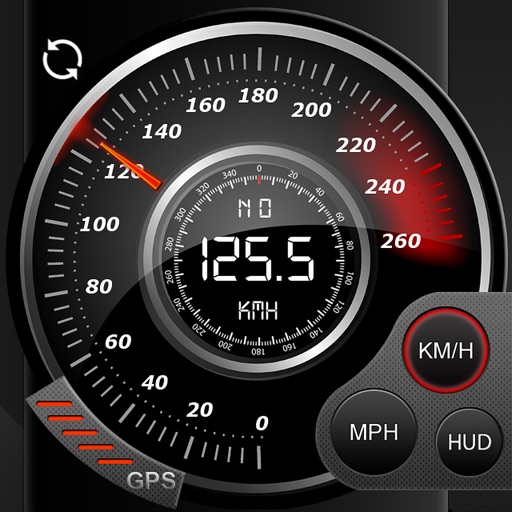
Real-time monitoring displays current via a virtual dashboard. Set limits to receive alerts. Track driving history and statistics. Share trip data with others. Syncs with iPhone for accurate GPS readings.
Navigate with turn-by-turn directions using Google Maps or Mapbox. Play music from Apple Music or Spotify with large buttons. Listen to podcasts online or offline. Customize themes, button layouts, and colors.
Track speed, distance, elevation gain, and calorie consumption during rides. View real-time progress and set training goals. Sync data with smartphone or ROX GPS Bike Computer. Share achievements with friends or social media.
Navigate using a GPS to any saved location. Save current position, input coordinates manually, or extract GPS from photos. View saved points history and export coordinates to Google or Apple Maps.
Monitor vehicle performance with real-time speed display and track 0-60 km/h and 0-100 km/h acceleration times. Access precise GPS data with 1-meter accuracy. Log ride details and view performance metrics.
The app displays GPS receiver information, including satellite status, current location, and battery level. It allows users to manage route recording and download stored routes from the receiver.
The app records user trips, displaying tracks, position, and live information like speed and altitude. It also measures distances, areas, and perimeters by placing points on the map.
The app provides a detailed readout of GPS data, including speed and coordinates. Users can see an approximation of their current address if a GPS connection is available.
Track speed, average speed, maximum speed, and directional speed. Measure velocity made good and wind speed. Calculate the Pilot Performance Index to assess flight performance. Compare results with others or against autopilot settings.
View maps of New City, including subway and airport routes. Navigate using real-time GPS without internet. Bookmark addresses for trip planning. Access top attractions and explore without data usage.