Create interactive apps and games using visual programming. Write and run code with a touch-based interface. Utilize iPad features like Multi-Touch and accelerometer. Edit and debug code in real-time.
by Two Lives Left★ 4.5126 ratingsProductivityFreeData updated 2026-09-08
Enter and execute code directly in the built-in browser or text editor. Auto-complete and auto-indent features enhance coding efficiency. Customize code color and font size. Run selected text or entire files.
Make and receive calls using VoIP. Set up account with one-touch provisioning. Access call logs and contacts. Support for Code or QR code login. Configure settings and manage accounts.
Send encrypted messages using historical ciphers like A1Z26, Caesar Shift, and Vigenere. Encrypt text with customizable settings. Share coded messages via text or email. Decode messages using the same methods. View details and instructions.
Allows copying and pasting between devices. Share files and URLs to a computer from any . Use phone screen as a virtual touchpad or keyboard. Control a computer's presentation with a phone-based laser pointer. Run remote commands on a computer.
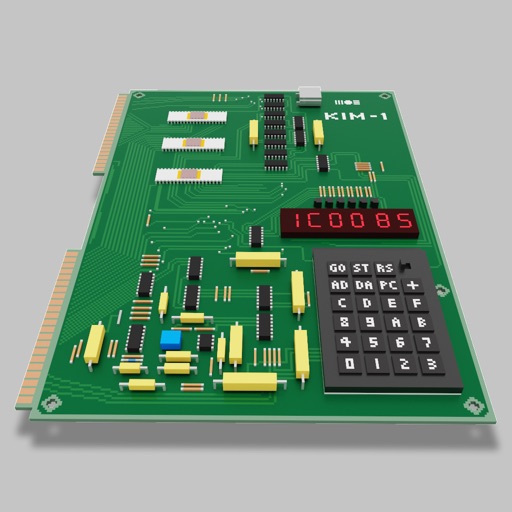
Users can assemble and debug assembly code using a simple interface with 7-segment LEDs and buttons. Run programs on an emulated 8-bit processor. Solve programming puzzles and explore hardware components used in early home computers.
Write and run without installing or setting up a development environment. Edit with syntax highlighting. Save and share projects. Access built-in 3 interpreter.
Learn and execute bash scripts with code editing features. Edit scripts with auto-complete, auto-indent, and color coding. Run selected text in a built-in browser or text editor. Adjust font size and color.
Write and execute Ruby scripts with auto-indent, syntax highlighting, and code templates. Run selected text in the built-in browser or text editor. Support file operations for text, PDF, CHM, and MP3. Execute code via keyboard and use gets function.
Write and format using GitHub-flavored with inline code syntax highlighting. Organize into folders and tags. Export in multiple formats. Sync across devices. Search and filter by keywords.
Provides a interpreter for basic language syntax and functions. Users can run code, debug scripts, and access tutorials. It supports educational use for students and instructors learning fundamental concepts.
Allows users to progress through structured lessons and practice coding in Python 3. They can experiment with code, take quizzes, and compete in a global leaderboard. The supports no prior experience and covers fundamental programming concepts.
View and edit files with syntax highlighting and support for 185 programming languages. Choose from 88 themes. Import files via AirDrop, iTunes, or GitHub. Export to other apps. Access a document outline for classes and functions.
Edit and run Lua 5.2.1 scripts with auto-complete, auto-indent, and code highlighting. Execute selected text or keyboard input. Support io.read() and file system access for text, PDF, MP3, ZIP, and image formats.