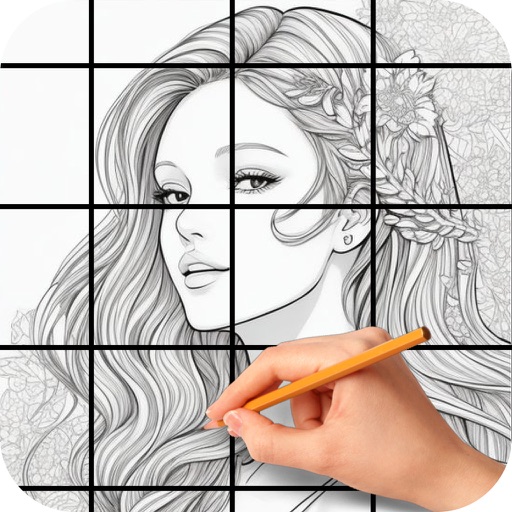
The app provides a translucent canvas with a grid for users to practice drawing and sketching. Users can trace photos from their library, adjust size and location, and use tools like an eraser, undo/redo, zoom, rotate, pan, and flood fill.
by Hesham Wahba★ 3.552 ratingsProductivityFreeData updated 2026-09-20
Select a random option by placing multiple fingers on the screen. The chooses one at random for decisions like game turns, prize winners, or spontaneous choices. No additional actions required beyond touching the screen.
Create colorful designs using art effects with 48 unique brushes and 48 shapes across six categories. Use symmetry and inverse drawing modes for creative effects. Apply dynamic textures and -off particles for realistic results.
The app provides tools for creating sketches, doodles, drawings, and notes. It includes features like sketch paper, color pencils, erasers, a magnifying glass, smudge finger, and water blur.
The app allows users to draw on a blank canvas or import photos. Users can add stickers, text, and shapes, choosing from various brush colors and sizes to create unique artwork.
Create notes and drawings on a clean, minimal canvas. Annotate images or documents. Save or share content directly. Use a simple, intuitive interface for quick access. Perform basic drawing and text input without distractions.
Edit images by on photos and adding text. Choose from 45 colors and five pen thicknesses. Use zoom editing and undo functionality. Share edited images via email, Twitter, and Facebook.
Take notes, draw charts and sketches, and annotate documents. Keep a diary or track tasks. Use AI assistant for brainstorming, completing assignments, and finding information. Export notes in multiple formats and share directly.
Edit photos with tools like Pen, Line, Arrow, and Rectangles. Apply filters, effects, and enhancements. Add text, stickers, and adjust lighting and color. Remove blemishes and red-eye. Crop and resize images.
Solve puzzles with 4 difficulty levels and expert mode. Play against others or solo. Auto save progress and check for errors. Customize themes, use pen, pencil, and eraser tools. Track statistics, achievements, and leaderboards.
Offers a blank white screen for tracing. Users can add, resize, rotate, and move images using on-screen gestures. effect, screen brightness control, and screen locking are available. Image brightness and contrast can be adjusted.
Create animations with drawing tools, color options, and frame management. Import images or draw directly. Export and share animations on Cineverse. View progress and refine frames for detailed editing.
The app provides a drawing experience with colorful stamps and rainbow lines that trigger sounds. Users can save their creations, clear the canvas with trash and eraser buttons, and choose between white and black backgrounds.