Apps Like Magnifier with light+zoom for iPhone and iPad
Zoom and view text clearly
A magnifying glass allows users to zoom in up to 10 times on objects. It uses the phone's camera for viewing. An integrated light helps in low-light conditions. Users can adjust zoom and brightness settings.
by michael heinz★ 4.37 ratingsMedical$0.99Data updated 2026-09-08
Use iPhone as a connected via USB to mirror Mac screen. Draw with Wacom stylus and 3D Touch. Control canvas with touch gestures for zoom, scroll, undo, and redo. Connect securely for real-time screen mirroring.
Create and annotate digital whiteboards with infinite canvas size and zoom. Choose from three paper backgrounds. Export to PDF. Toggle between light and dark modes. Purchase additional boards without recurring charges.
The app provides a source of light for the user. It offers many different night lights to shine away the darkness and features an HD design with a classic clicking noise.
Dedicate one hour daily to a single task. Set and track focused sessions. Choose activities like reading or studying. Receive reminders and progress reports. Sync across devices for consistent time.
Object dimensions using phone and reference objects like credit cards or DVDs. Snap photos for accurate in-plane measurements. Add custom reference objects with known sizes. Export measurement data for later review.
Scan images to extract using optical character recognition. View EXIF metadata and identify phone numbers, addresses, websites, and emails. Process data locally with no internet connection. Share images via the device's share button.
/QR Reader allows users to scan barcodes and QR codes using the camera. Users can scan images from their photo library. A history of past scans is accessible. A built-in flashlight assists in low-light scanning.
Magnify text, images, and objects for detailed viewing. Adjust zoom levels and save captured images. Share magnified content directly. Enhance small font readability and capture high-resolution images.
Provides a real-time framing preview of your iPhone or iPad camera setup. It simulates field of view for digital cameras and lenses. Users can adjust settings and see how compositions will look. It helps with preproduction planning for filmmakers.
The app provides policyholders with travel information and allows them to document and report automobile claims. Users can access policy details, report accidents in real-time, and find information on roadside assistance.
Measure surfaces and objects with precise leveling tools. Use camera mode for visual guidance and accurate measurements. Freeze measurements for reference. Align furniture or check ground levels efficiently.
Allows manual adjustment of exposure, focus, shutter speed, and ISO. It offers a minimalist interface with an option to hide controls for mirroring. Users can the via AirPlay to devices like Apple TV or software receivers.
Provides guided eye exercises to alleviate eyestrain. Users can follow blinking routines, focus shifts, and eye rotations. Track duration and completion. Share progress with others. Adjust session length and frequency.
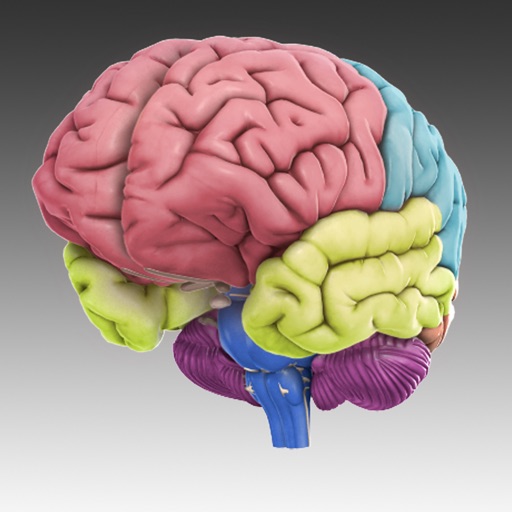
The app displays 29 interactive brain structures that users can rotate and zoom. It provides information on functions, disorders, brain damage, case studies, and research links for each structure.