Calculator lets users perform basic and scientific calculations with over 30 functions. Switch between portrait and landscape modes. Customize leather color and background texture on iPad. Take notes or draw directly on the interface.
by 7th Gear★ 4.84,275 ratingsUtilities$0.99Data updated 2026-10-13
Convert, calculate, simplify, and compare fractions.
The app converts fractions to decimals and vice versa, supports proper and improper fractions, and mixed numbers. It also simplifies and compares fractions, providing step-by-step solutions for calculations.
Allows users to perform calculations for and engineering parameters. It includes formulas and definitions for each calculation. Users can compute force, friction, centripetal force, work, power, displacement, and more.
Calculator helps users compute offsets and rolling offsets for precise layout planning. Input measurements to calculate basic or advanced rolling angles. Generate detailed reports and save calculations for future reference.
Calculate with four modes: basic for arithmetic and percentages, scientific for algebra and trigonometry, programming for command line expressions in multiple numerical systems, and minimalist for simplicity.
Perform calculations with real-time results and visible input process. Use scientific and fraction modes. Adjust decimal places and show/hide separators. Access unlimited history. Quick start with backspace and keyboard vibration or sound.
Solve math problems with basic and complex calculations. Convert units and exchange currencies. Use fractions and square root functions. Perform calculations quickly and accurately.
Calculator allows users to perform basic and advanced mathematical operations. Input and display numbers with large, clear buttons. Correct entries using a backspace key. Support decimal points and parentheses for complex calculations.
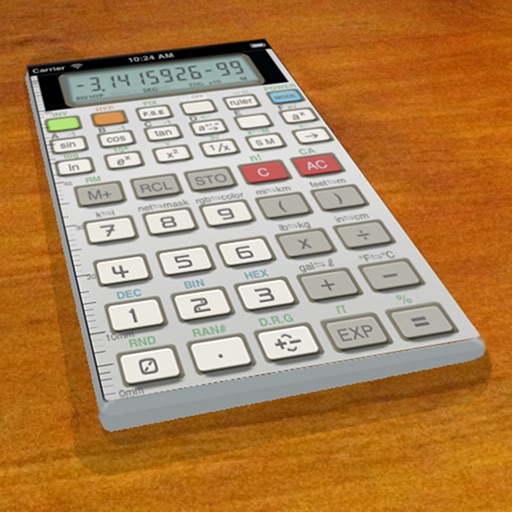
A vintage-style scientific calculator with a retro LCD display and realistic key sounds. Perform basic and advanced calculations, use shift functions, and access additional modern features like parentheses and memory storage.
Perform complex calculations with a supporting trigonometry and Bessel functions. Access over 80 mathematical functions and quick references for basic operations. Solve equations efficiently for engineering tasks.
Perform basic calculations including addition, subtraction, multiplication, and division. Calculate percentages and use nested expressions. View full equations and intermediate results. Access a history of 25 recent calculations.
Outline creation and management with nested tags and customizable fonts. Import and export OPML and Markdown files. Sync and share via iCloud. Embed images and format text. Support drag and drop, links, notes, and backlinks.
Edit formulas, check calculations, reuse past entries
Calculate mathematical expressions with formula input and real-time validation. Edit formulas by tapping or using arrow keys. Reuse previous formulas to update values and recalculate.
A Scheme interpreter allows users to write and execute code. The console supports read-eval-print loops for interactive coding. The text editor includes syntax highlighting, smart indentation, and parenthesis matching.
The app provides a keyboard for writing in the Tatar language with special alphabet letters. It includes shortcut buttons for common actions and text management features like storing, exporting, and importing notes.
Perform complex calculations using RPN input. Access programmer functions for base conversions and bitwise operations. Use fraction mode and probability distributions. Track time with a stopwatch. Store and retrieve custom programs.
Calculate compound interest, savings plans, inflation, and installment payments. Generate detailed reports in graphs and tables. Export and share reports via email. Print or save calculations for record-keeping.
Write mathematical expressions using inline LaTeX. Edit and format equations directly within the document. Preview rendered equations in real-time. Export documents in Markdown or PDF format.