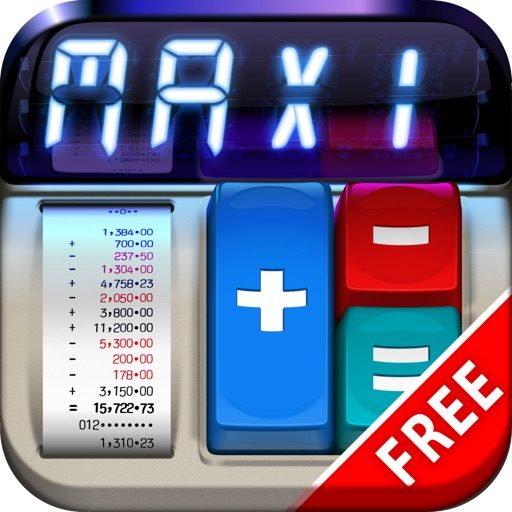
The app allows users to print or email calculation history as a PDF. It includes a backspace key for corrections and supports document exchange via iTunes.
by Hannes Sverrisson★ 4.45 ratingsUtilities$1.99Data updated 2026-09-19
Store, view, and manage documents on iPhone and iPad. Use built-in document viewer to open various types. Transfer files via drag and drop in iTunes. Organize and access files without additional apps.
With symbolic algebra, equation solving, and calculus functions. Supports fractions, repeating decimals, and high-precision numbers. Displays results as simplified expressions or numerical values.
Perform arithmetic calculations with 12 digits. Calculate tax, percentages, and cost, selling price, and gross margin. Use memory functions, square root, and sign change. Track grand total.
Calculate with a dual-line display showing input and result simultaneously. Use percentage and backspace functions. Choose from 18 color themes. Enter multi-line equations. Automatically format scientific expressions. Access via Split View.
The app allows users to enter and modify formulas while checking them, preventing errors. It provides a history of formulas and answers, supporting various number systems and memory functions for calculations.
Scan documents, images, and files. Choose from four color filters. Organize files into folders. Use AI to copy text from documents. Print or export scans as PDF.
Measure angles of elevation, slope, and incline using device motion. Determine roll angles for vehicles and aircraft. Calculate roof pitch and antenna look angles. Align pictures and measure tape or chain slopes.
Displays media thumbnails for videos, photos, and music. Supports list and thumbnail views. Allows sharing of photos, music, and documents. Enables copy, cut, delete, create, and rename operations. Supports local and cloud data transfer.
A with simple arithmetic functions. Displays calculation history. Shows current input. Features intuitive design and universal compatibility. No additional features or complex calculations included.
FP performs basic arithmetic, currency conversions, and unit conversions. Users can switch between dark and light modes. Split-screen mode is available on iPad.
The app offers two modes: portrait for basic calculations and landscape for scientific functions. Users can track entries with multiple tapes and use memory slots for complex calculations.
Measure objects using screen size, augmented reality, or printed rulers. Place virtual on surfaces with ARKit. Print rulers via AirPrint. Compare printed results with on-screen measurements. No ads, in- purchases, or tracking.
Perform basic and advanced calculations with a scientific . View and edit calculation history. Correct entries using backspace. Switch between decimal point and decimal comma formats.
Calculator with large keys and 4 basic functions for use. Review entries using tape, add comments, timestamp, and email numbers. Bring past entries into current calculations.
Calculator allows users to perform basic and advanced mathematical operations. Input and display numbers with large, clear buttons. Correct entries using a backspace key. Support decimal points and parentheses for complex calculations.
Solve math problems from elementary to college level. Perform algebra, calculus, and statistical calculations. Graph functions and equations. Export results and share solutions. Replace graphing calculators advanced computation tools.
Allows users to perform calculations directly within compatible apps. Input equations using the . Dark Mode is supported. Full iPadOS compatibility is available. Customization options are provided.
PDF documents by selecting a compression level, importing files from device or other apps, and exporting compressed results. Supports secure compression without additional features or complexity.
Lets users organize, move, rename, and delete . Built-in viewer supports all iOS document types. Includes advanced PDF reader and photo browser. Integrates with Dropbox for cloud storage. Web browser enables offline document access and saving.