The app simulates standard radio waves used by Japanese radio clocks. It outputs a 13.3kHz audio signal to synchronize time using its third harmonic frequency.
by Tomoki Sekiyama★ 4.218 ratingsUtilitiesFreeData updated 2026-09-18
The app allows users to create harmonic tones by swirling fingers around bowls or tapping various instruments. Users can record and play back their creations for relaxation and meditation.
Play sleep sounds and set alarms with time, weather, and calendar info. Choose gentle or loud wakeups, automate lights, or answer trivia. Adjust brightness, use flip clocks, and integrate with smart home devices.
Compose and reply to email messages via amateur radio networks. Send and receive messages through telnet or the Amateur Radio Emergency Data Network. Pair with VARA or KISS TNC modems via WiFi or Bluetooth.
The app prepares users for the Technician class amateur radio license exam by providing access to the question pool and practice exams. It identifies areas needing further study and allows users to review FCC rule text.
Access frequently used radio telecommunications functions with quick shortcuts. View function descriptions for clarity. Navigate through settings and operational modes. Monitor signal strength and network status.
The app displays both digital and analog clocks on one screen. It offers adjustable brightness and time formats, with optional features for rounding the analog time and enlarging specific indicators.
Control Hue, LIFX, Nanoleaf, and Yeelight smart lights. Set and adjust lighting scenes, create custom animations, and synchronize lights for coordinated effects. Manage brightness, color, and timing across all connected devices.
The app simulates real microwave radio spectrum data. It demonstrates the functions of a handheld microwave spectrum analyzer for antenna alignment, troubleshooting, and maintenance.
Stream live radio broadcasts featuring Christian music from artists like King & Country and Lauren Daigle. Access station schedules, listen to on-demand content, and view community updates.
Calculate investment returns using formulas. Input initial amount, monthly contributions, and time frame. Visualize growth with charts and graphs. Set financial goals and track progress over time.
Configure and manage Ubiquiti ISP devices from one interface. Integrate devices into the controller. Setup devices using Bluetooth or management radio. Monitor network performance and adjust settings remotely.
Access characters and symbols not available on standard iOS keyboards. Search and select characters by category or keyword. Type special symbols directly or copy them for use elsewhere. Customize layout for quick access to frequently used characters.
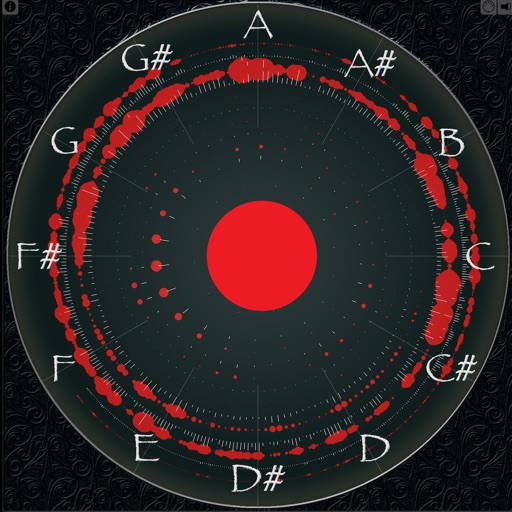
Displays sound frequencies using a Fast Fourier transform. Users can visualize incoming sound as individual sine waves. The shows frequency spectrum displays to analyze audio components.
Automates - by recording audio and generating formatted notes and summaries. Allows searching for key terms and topics. Provides live captions for accessibility. Ensures built-in privacy with no third-party sharing.
Convert to adjustable voice, pitch, and speed. Choose from multiple voices. Read from files, typed input, or scanned documents via camera. Edit before playback. Save and share audio outputs.
Analyze real-time audio for musical scale, , octave, frequency, and waveform. Measure vocal range and detect Do, Re, Mi. Practice accuracy and tune instruments. Pause analysis to review results. Display waveform and frequency data for voice training.
Track activity using Alpha Peak Frequency to assess cognitive performance. Monitor progress over time and set goals for improvement. Sync with devices to analyze focus and patterns.