Apps Like Remote Mouse for iPad for iPhone and iPad
Control your Mac or PC remotely
Control your Mac or PC with an iPhone, , or iPod. Use simulated touchpad and keyboard functions. Access panels for media playback, file transfers, and presentation controls.
by 耀 阮★ 4.4284 ratingsUtilitiesFreeData updated 2026-09-08
Lets users manage streaming devices via phone. Navigate with swipe-based controls. Connect devices to same Wi-Fi network. Simplify text input with built-in keyboard. Search and input text efficiently. playback and device settings remotely.
Control playback and navigate TV menus using your smartphone or tablet. Search for content and launch streaming services directly. Adjust volume and settings remotely. Sync with device for seamless interaction.
Transforms smartphones or tablets into remote controls, keyboards, and mice for Portal. It automatically detects NAS devices on the same network, supports remote and touchpad modes, and includes voice input.
The app transforms an iPad into a wireless remote and trackpad for a computer. It provides remote control capabilities for various media and web applications, with new remote definitions downloaded daily.
The app connects to Mac computers from iPad, iPhone, and iPod Touch. It supports Retina display and offers features like a trackpad, virtual mouse buttons, and a functional keyboard with shortcuts.
Control computer power states remotely via local network or Internet. Send -up commands using Siri. Access interactive widgets for quick actions. Manage host availability and track status updates.
Stream your iPhone or iPad to any device via a web browser without downloads or cables. View and control the remotely. Compatible with Mac, Windows, Linux, Android, and smart TVs.
TV with iPhone or iPod. Adjust volume, navigate menus, and access settings. Use one-tap shortcuts for quick access. Manage streaming content and device settings remotely. Sync with players for seamless playback .
The app provides an iPad user experience on computers. It allows users to control PCs using touch gestures as a remote mouse and handwriting recognition keyboard.
Turns your iPhone into a wireless for your Mac. Use full gesture support for scrolling, zooming, and swiping. Connect via Bluetooth or USB cable. Type on your Mac using the built-in keyboard.
The app allows remote control of PC or Mac mice over WiFi, 3G, LTE, or Bluetooth LE. Users can capture screens, adjust volume, use gyroscope for presentations, and magnify the screen for precise clicks.
The app allows users to control Mixcraft recording software from an iOS device. Users can start recording and playback, change position, control volume, undo/redo, and save projects wirelessly within the studio.
Devices on the same Wi-Fi network. Navigate menus and content using a large touchpad. Launch channels directly from the . Search for videos and stream content.
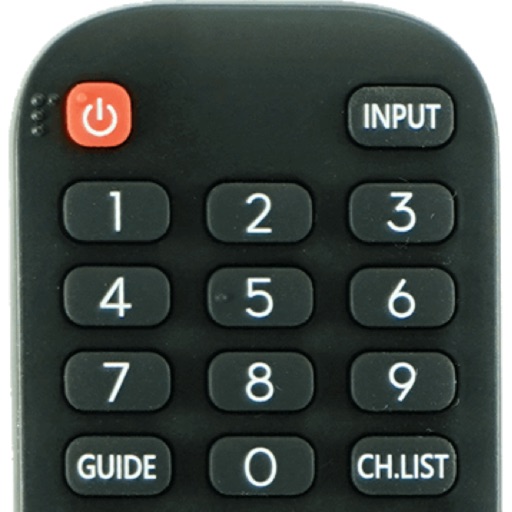
Devices with preloaded models including EN3V39H, 55H6E, and 55R6000E. Access saved profiles for quick use. Navigate with a fast touch pad and keyboard. Use a clean interface to manage device functions without installation.
The app connects to network-connectable devices released since 2012. It allows users to control compatible LG devices, including Blu-ray players and sound bars, by downloading specific remote control applications after automatic device searching.