The app provides instantaneous answers for optical calculations. Users can analyze data to achieve selected results, with step-by-step formula views for various optical computations.
by Brent McCardle★ 5.01 ratingsEducation$2.99Data updated 2026-10-13
Calculate parameters for eyewear prescriptions. Input lens data to determine cutout, thickness, and vertex compensation. Transpose Rx values and calculate induced prism. Adjust for tilt, wrap, and crossed cylinders.
The app provides ophthalmologists, optometrists, and opticians with access to calculators for lens prescription and optical understanding. It offers instantaneous results and explanations of formulas for learning and review.
Create drawings with 20 colors and 3 line thickness options. Continue drawing sessions across devices. Access calming background music. No in- purchases or ads. Designed for ages 1 and up.
Calculate with dual-line display and multi-line input
A with dual-line display showing input and result. Supports multi-line equations and tap-to-move cursor. Saves calculation history with timestamps and labels. Allows emailing calculations and swiping to review previous entries.
LensCalc helps professionals perform essential calculations. Enter power and vertex distances to determine new power requirements. Calculate effective diameter and lensmeter helper values. Transpose prescriptions and estimate thickness.
Take with handwriting recognition and stylus support. Annotate PDFs and images. Organize into folders and tags. Search text and handwriting. Sync across devices. Set reminders and share . Export in multiple formats.
Calculate lengths, angles, and area of shapes. Select a shape from a list. Input values into text boxes linked to orange points. Adjust point positions using the NEXT button or tapping points.
3D models using gesture-based controls for object and camera manipulation. Multi-select vertices, edges, faces, and objects with long taps or frame drawing. Merge, connect, and create faces from vertices. Draw cuts on edges.
Calculate intraocular lens power for cataract surgery in virgin and refractively operated eyes, using variables like corneal asphericity and P/A ratio. Analyze lenses with multiple vector analysis to determine astigmatism correction.
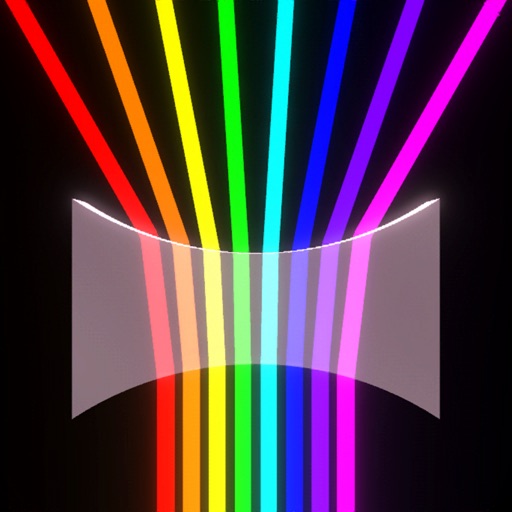
Control beams to solve puzzles through reflection, refraction, and dispersion. Use lasers, lenses, mirrors, prisms, portals, and black holes. Adjust beam curvature and color. Complete challenging levels with physics-based interactions.
Calculate with dual-line display and multi-line input
A with dual-line display showing input and result. Supports multi-line equations and tap-to-move cursor. Saves calculation history with timestamps and labels. Allows emailing calculations and swiping to review past entries.
Calculate lengths, angles, and area of shapes. Select a shape from a list. Enter values in boxes linked to orange points. Adjust point positions using the NEXT button or tapping points. Retrieve calculated measurements based on input.
Create and customize hairstyles for virtual characters. Choose from diverse characters representing BIPOC, people with disabilities, and LGBTQAI+ communities. Select from 28 characters including holiday-themed options.
Allows users to perform complex calculations with a natural display that shows expressions as written. It supports fractions, roots, and exponents. The includes a graphing module for visualizing equations.
The app provides a digital magnifier with a flashlight for viewing small text and objects. It offers up to 12x magnification and can also function as a cosmetic mirror using the front-facing camera.